
Online and in store: returns, exchanges, pickup and shipping
Return or exchange online orders at the register, hand over and collect store-pickup orders, sell in store and ship to the customer, and send a cart link they finish online.
Return an online order or a POS sale
Click Return at the top of Point of sale, enter the invoice number, order number or the customer's phone, then Search.
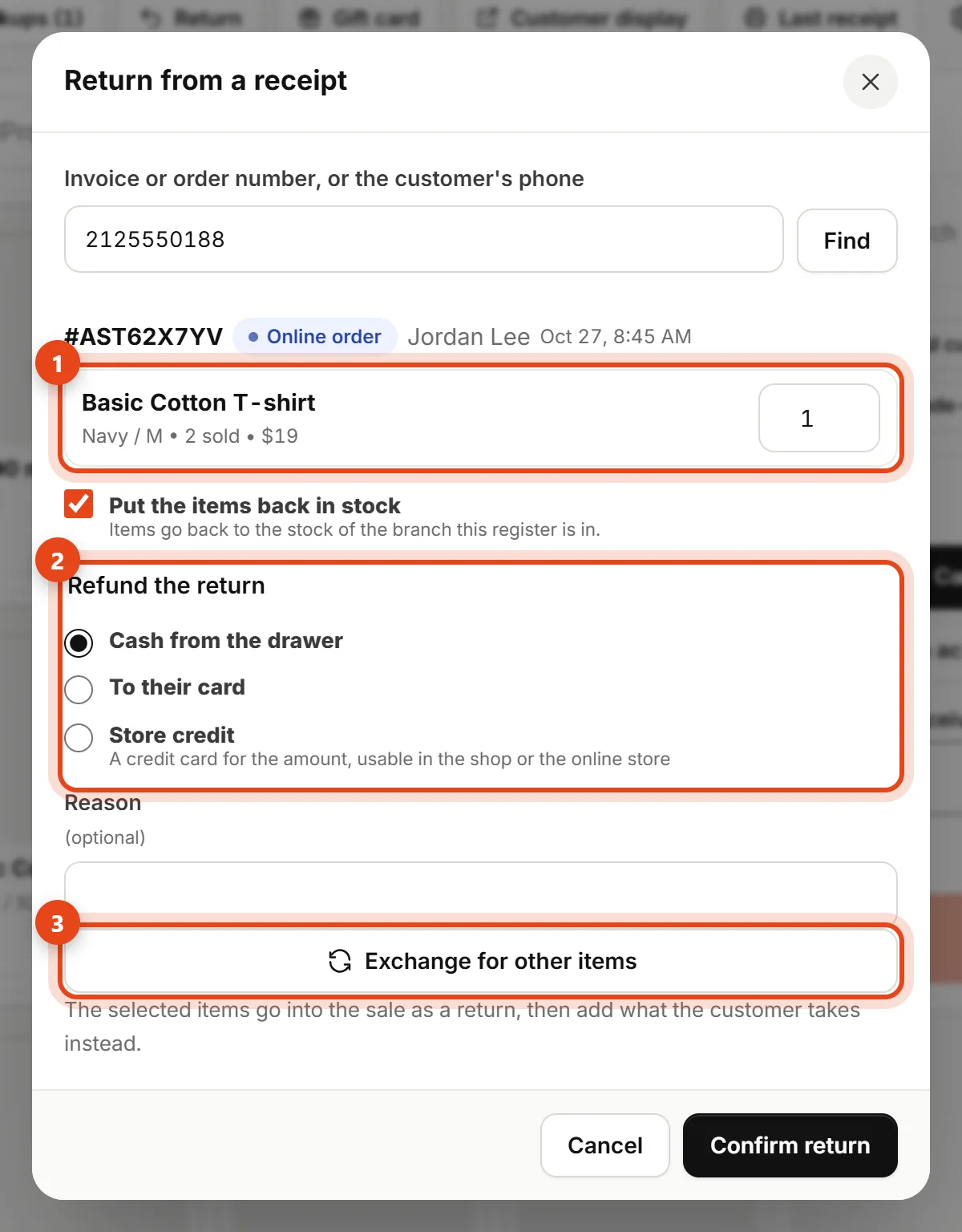
- Enter how many of each item comes back. Items go back to the stock of the branch this register is in.
- Pick how to refund the return: cash from the drawer, to their card, or store credit (a credit card for the amount, usable in the shop or the online store).
- Click Confirm return.
Exchange in the same sale
Instead of a return and a new sale, click Exchange for other items in the return window. The items go into the sale as a return, at their value.
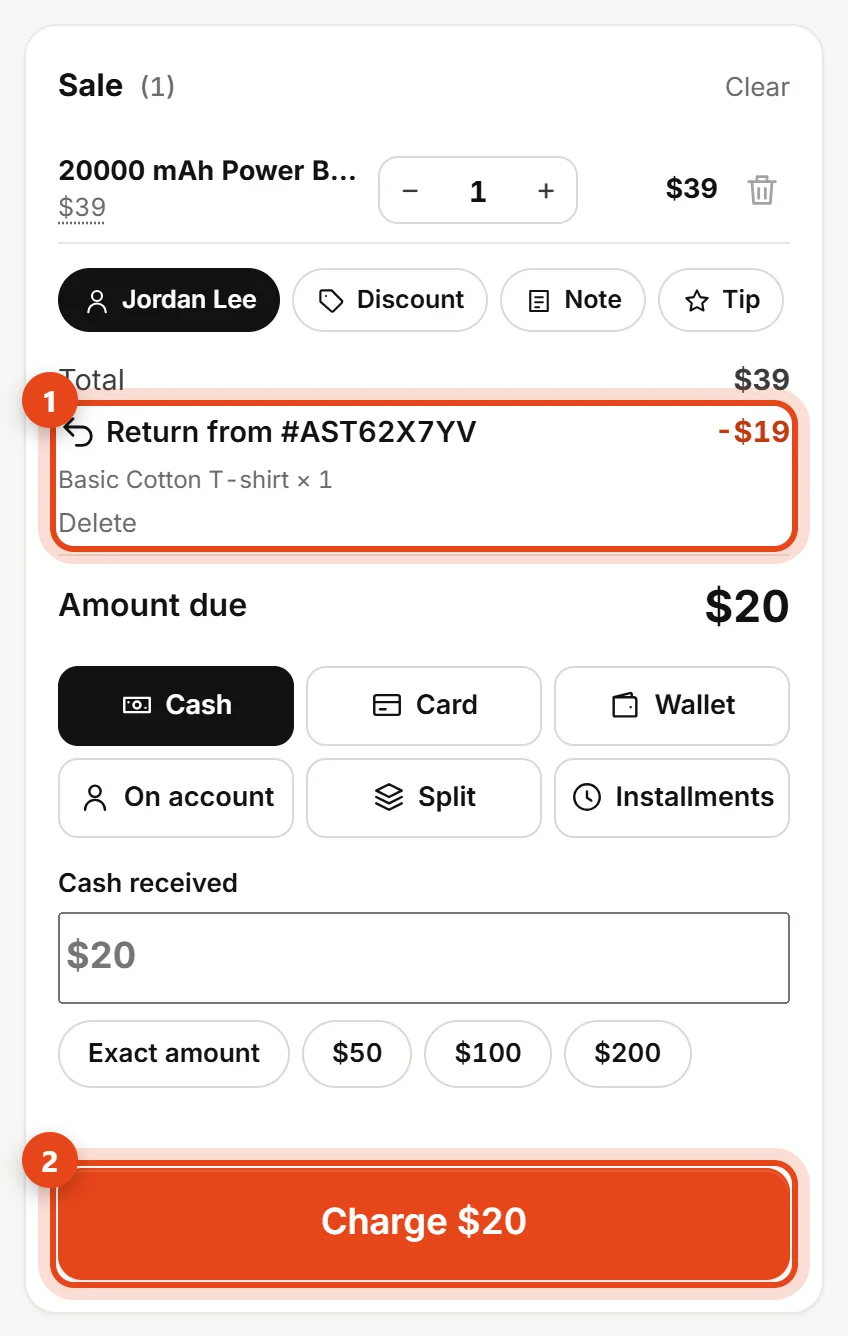
- Add the items the customer takes instead.
- If the new items cost more, the customer pays only the difference, by any payment method.
- If they cost less, click Done — give back and give the difference in cash, to their card, or as store credit.
Store pickup orders
When there are open online "store pickup" orders, a Pickups button shows at the top of Point of sale with their count.
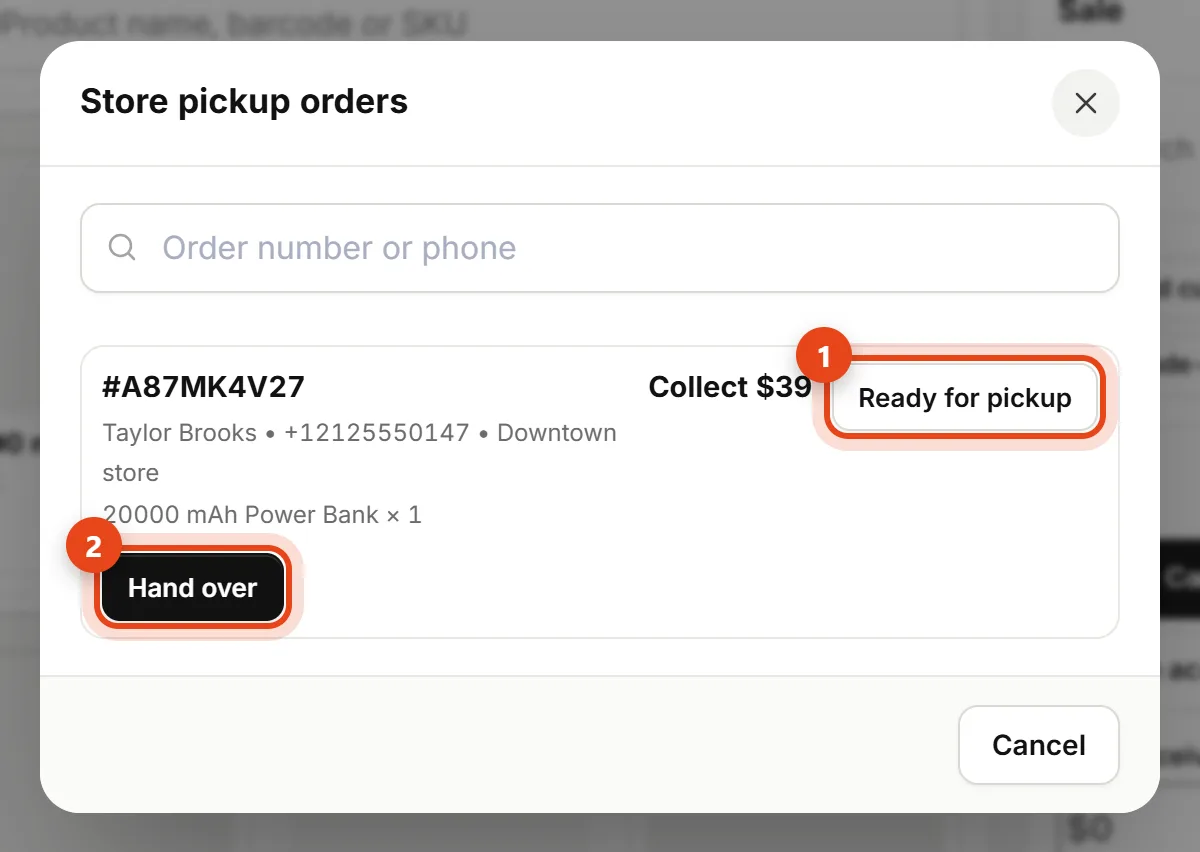
- Ready for pickup emails the customer that their order is ready (if they left an email).
- Hand over: if the order isn't paid yet, pick how you collect it and the amount goes into the drawer. The order is marked delivered.
Sell in store and ship to the customer
The customer bought in the shop but wants it delivered? Click Ship to customer in the sale.
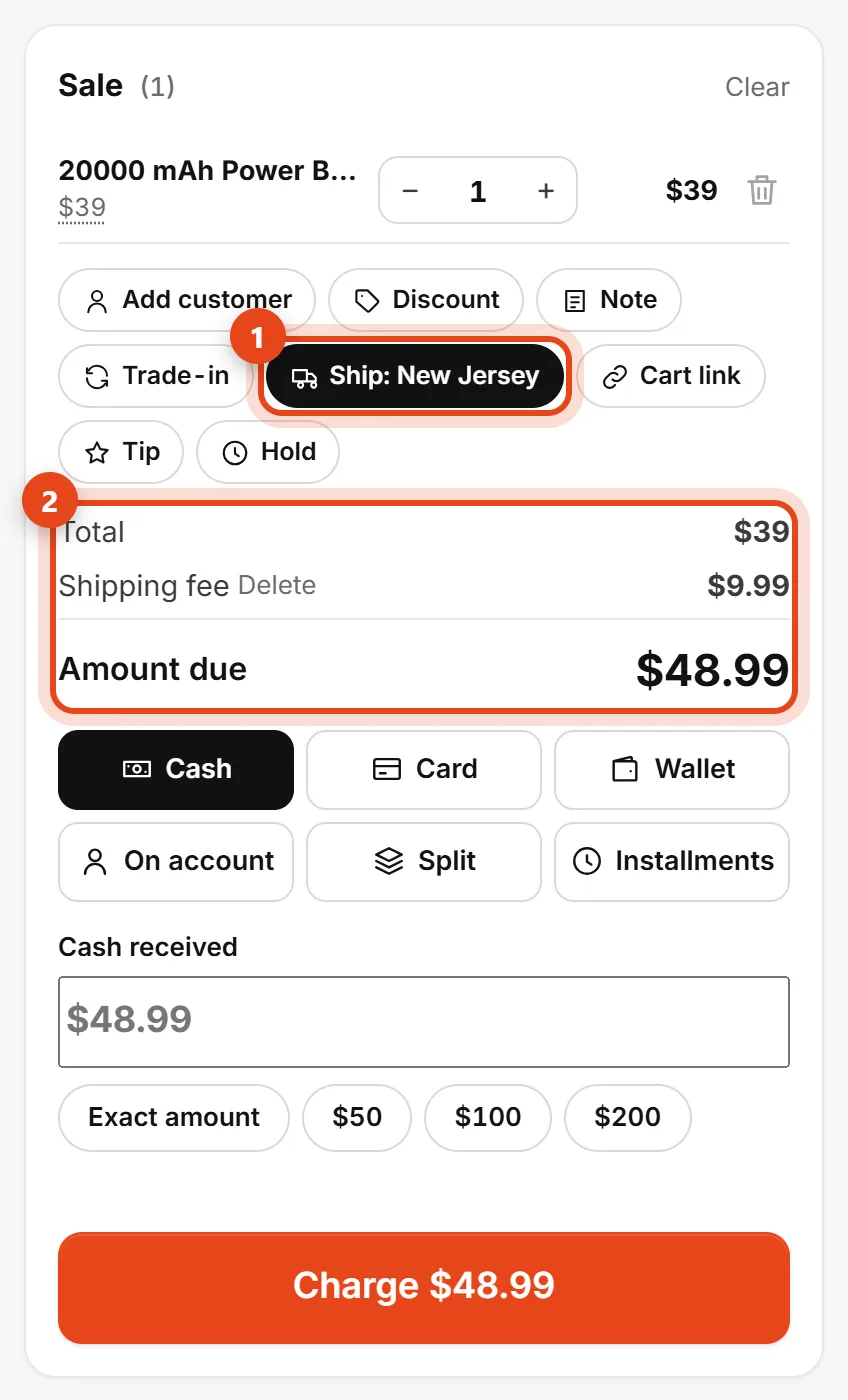
- Enter the customer's name, phone, region and address, plus a shipping fee if any.
- Take payment as usual. The sale is paid now, and the order shows up in Orders, confirmed and ready to ship (you can print a carrier label from there).
A cart link they finish online
Customer undecided, or wants to pay online? Put the items in the sale, click Cart link, and send it by WhatsApp or copy it. They open the link, find the cart ready in your store and check out on their own. The link lasts 7 days, at the prices on the day they open it.