
Payment methods, customer accounts and gift cards
Split a sale across several payment methods, add your own payment types, record tips, sell on account to regular customers, and sell and accept gift cards at the counter.
Open this page in your dashboardOn Point of sale, the payment methods sit under the total: Cash, Card, Wallet, any payment type you added, On account, Split and Installments.
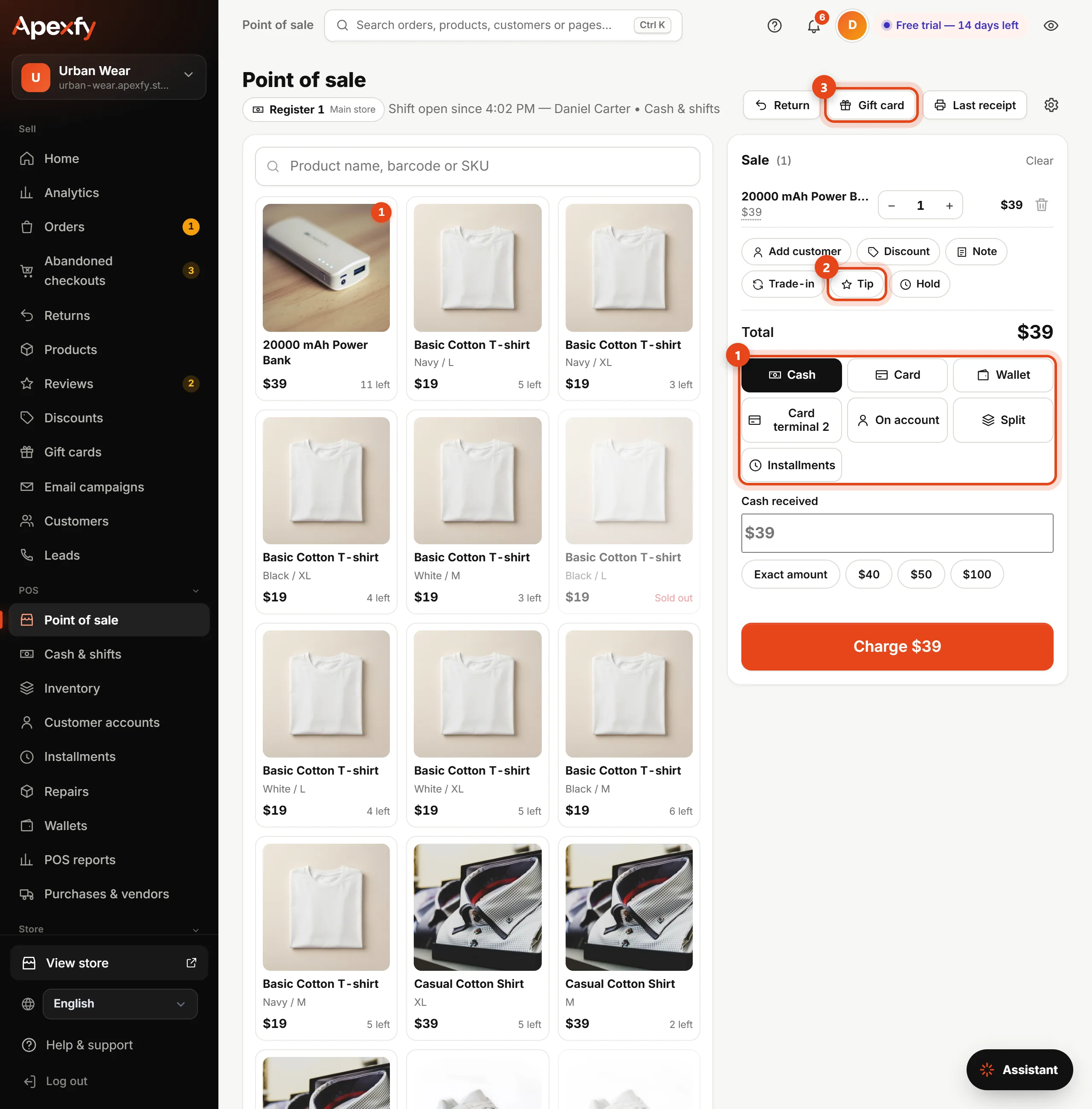
- Pick how the customer pays. Your own payment types (like a second card terminal) show up by name.
- Tip adds a tip for staff, in cash or by card. It isn't part of the sale and shows in the cash drawer under the seller's name.
- Gift card at the top of the page sells a new gift card.
Splitting a sale across methods
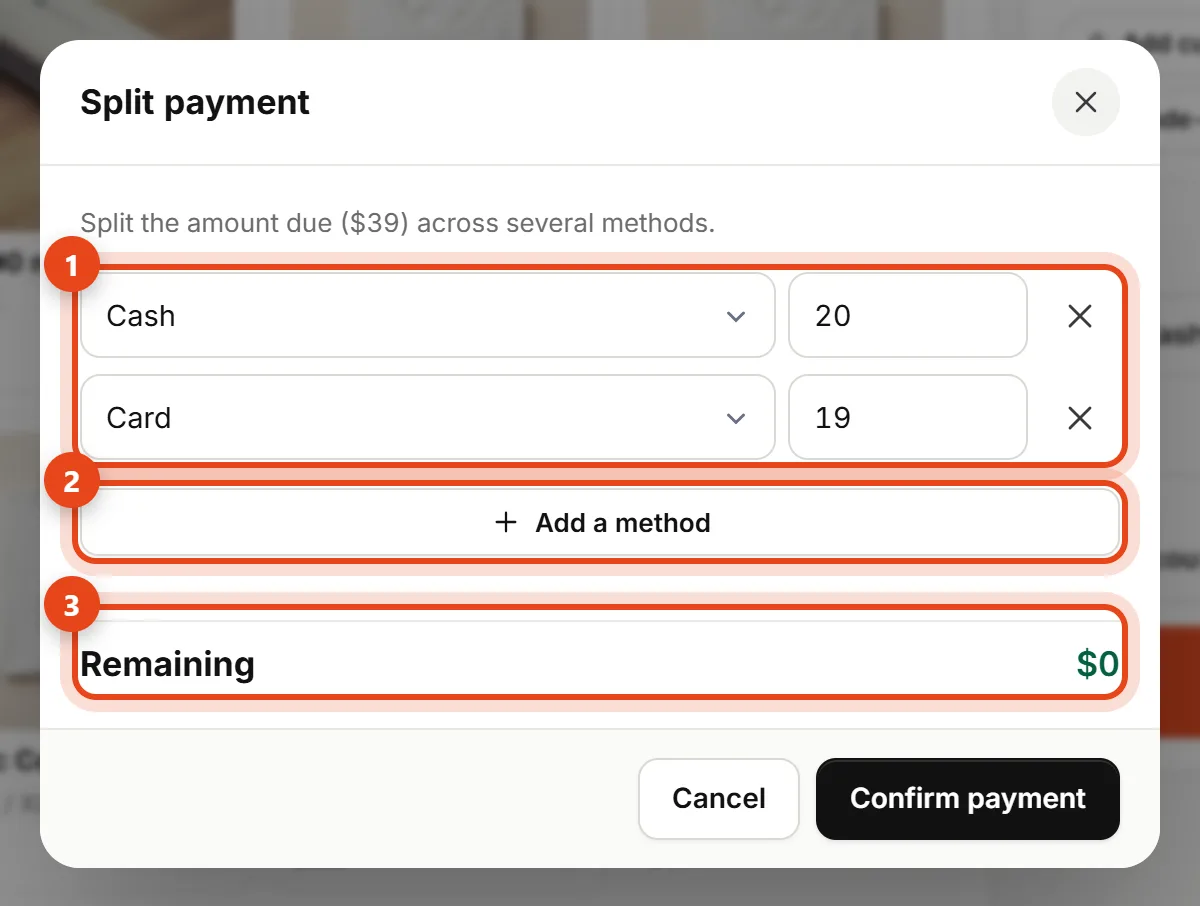
Choose Split, then Charge. Enter the amount for each method and click Add a method for another line. A new line takes the remaining amount automatically, and Remaining has to reach zero.
- For a gift card, enter the code and click Check to see its balance.
- The receipt lists each method with its amount, and change only comes from cash.
Your own payment types
In Cash & shifts → Staff, under Custom payment types, add any method (checks, a payment service, a second terminal). It's recorded in the shift under its own name and doesn't count toward cash in the drawer.
Customer accounts
- In POS → Customer accounts, click New customer account and enter the customer's name, phone and Credit limit (the most they can owe).
- At checkout, add the customer by phone and choose On account, or put part of the sale on account with Split.
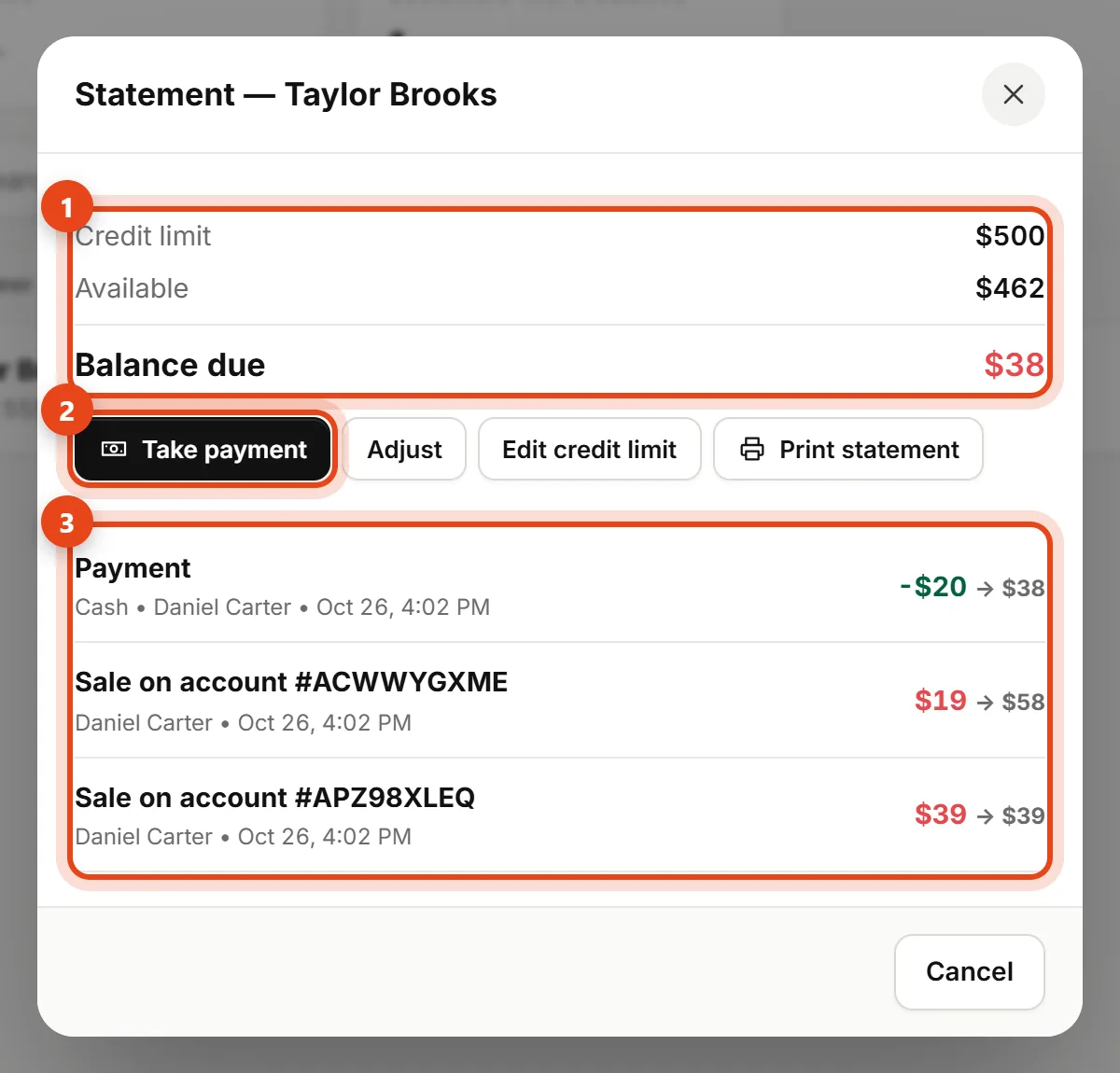
- Open a customer to see their Statement, and click Take payment when they pay. Payments go into the cash drawer.
Opening accounts, changing limits and adjustments need the Finance permission. Any cashier can sell on account and take payments.
Gift cards
- Sell a card: click Gift card at the top of Point of sale, then enter the value and payment method. A card prints with its code and a QR code.
- Pay with a card: choose Split, then Gift card, and enter the code. The same card works in your store and online.
- Cards you sell show in the cash drawer under Gift cards sold.