
Cash drawer, shifts and end-of-day count
Open a shift with the cash on hand, record cash in, cash out and expenses, then close the shift with a drawer count to see if it's over or short.
Open this page in your dashboardOpen POS → Cash & shifts. You'll see the open shift: sales and returns for each payment method, and the Expected cash in the drawer.
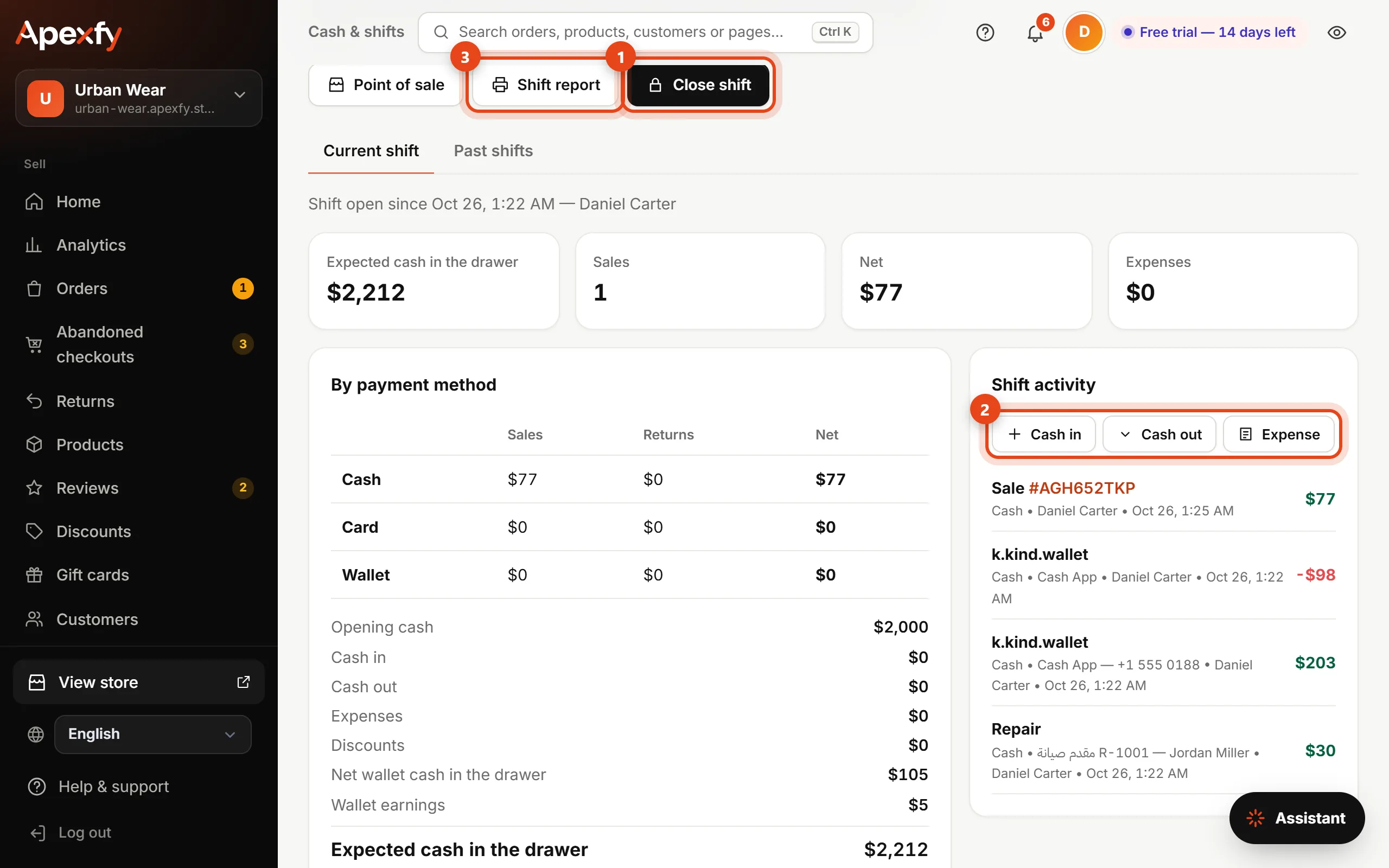
- Close shift at the end of the day, or when you hand the drawer to someone else.
- Record Cash in (change, for example), Cash out (handed to the owner) or an Expense (rent, electricity...). Expenses need a reason.
- Shift report prints a summary on the same paper size as your receipts.
Closing a shift
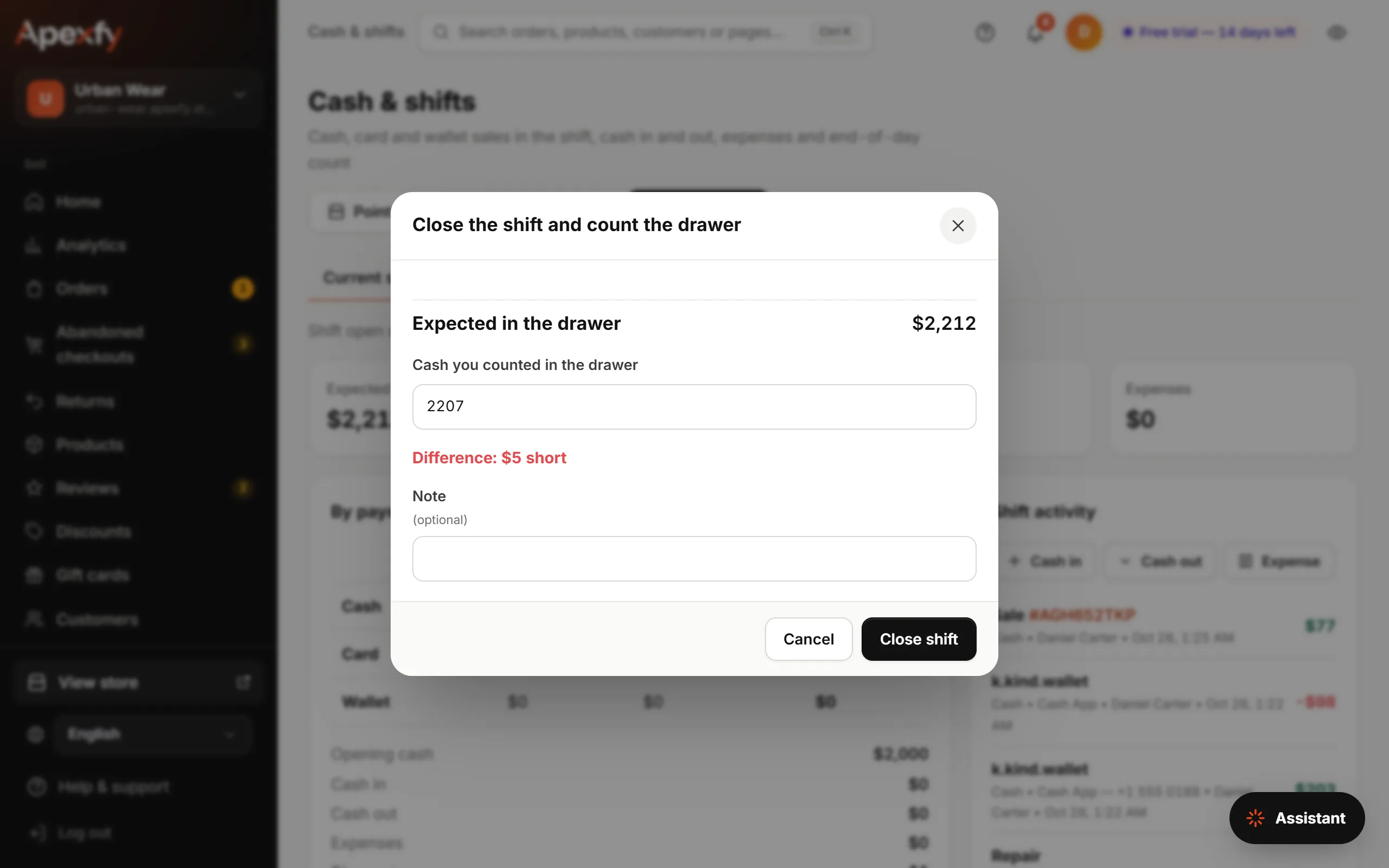
Count the cash in the drawer and enter it. The difference shows right away: Balanced, short or over. The shift report prints when you close, and you can't sell until a new shift is opened.
More than one register
Each register has its own cash drawer and shift, so two cashiers can work at the same time and each closes their own drawer. The register name shows at the top of the page; click it to switch registers on this device. Add registers and locations from Inventory.
Staff and manager approval
The Staff tab has each person's PIN, who's a manager, commission rates, and what needs manager approval. Staff guide
Past shifts
The Past shifts tab lists every shift: who opened and closed it, sales, expected cash, counted cash and the difference. Click the print button next to any shift to print its report again.