
Product video
Upload a short video of your product (a turning mannequin or a model wearing it). It shows first on the product page and plays on its own in product cards.
Open this page in your dashboardVideo sells better than photos: shoppers see the product from every angle, how the fabric moves and how it fits. You can add a short video to every product, and it shows on the product page and in product cards, in every theme.
Upload a product video
Open the product from Products, scroll to Product video under the photos, and press Upload a video.
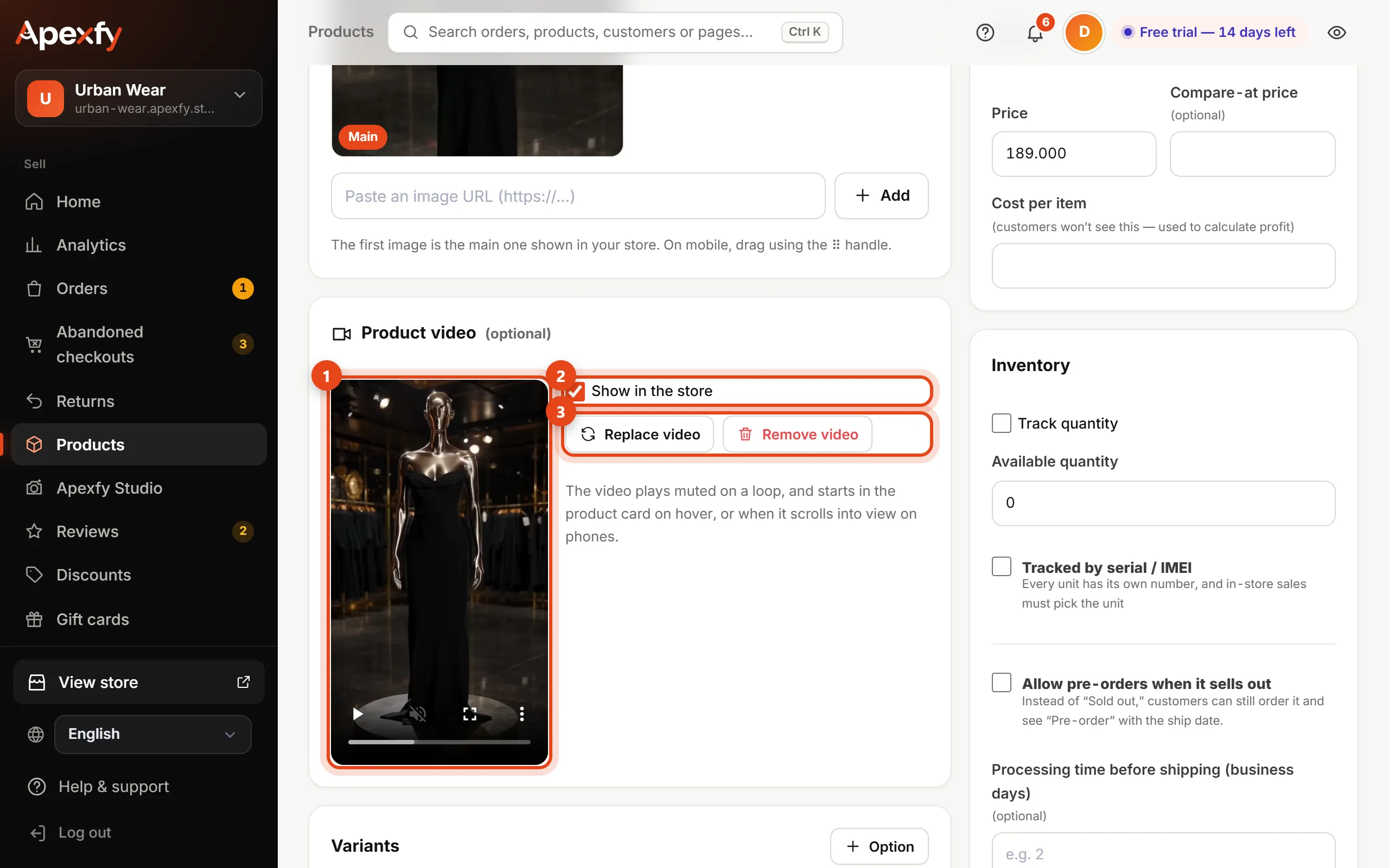
- Once uploaded, the video (1) appears so you can watch and check it.
- Show in the store (2): turn it off to hide the video from your store for now without deleting it.
- Replace video uploads a new one in its place, and Remove video deletes it (3).
- Press Save to publish the change to your store.
What shoppers see
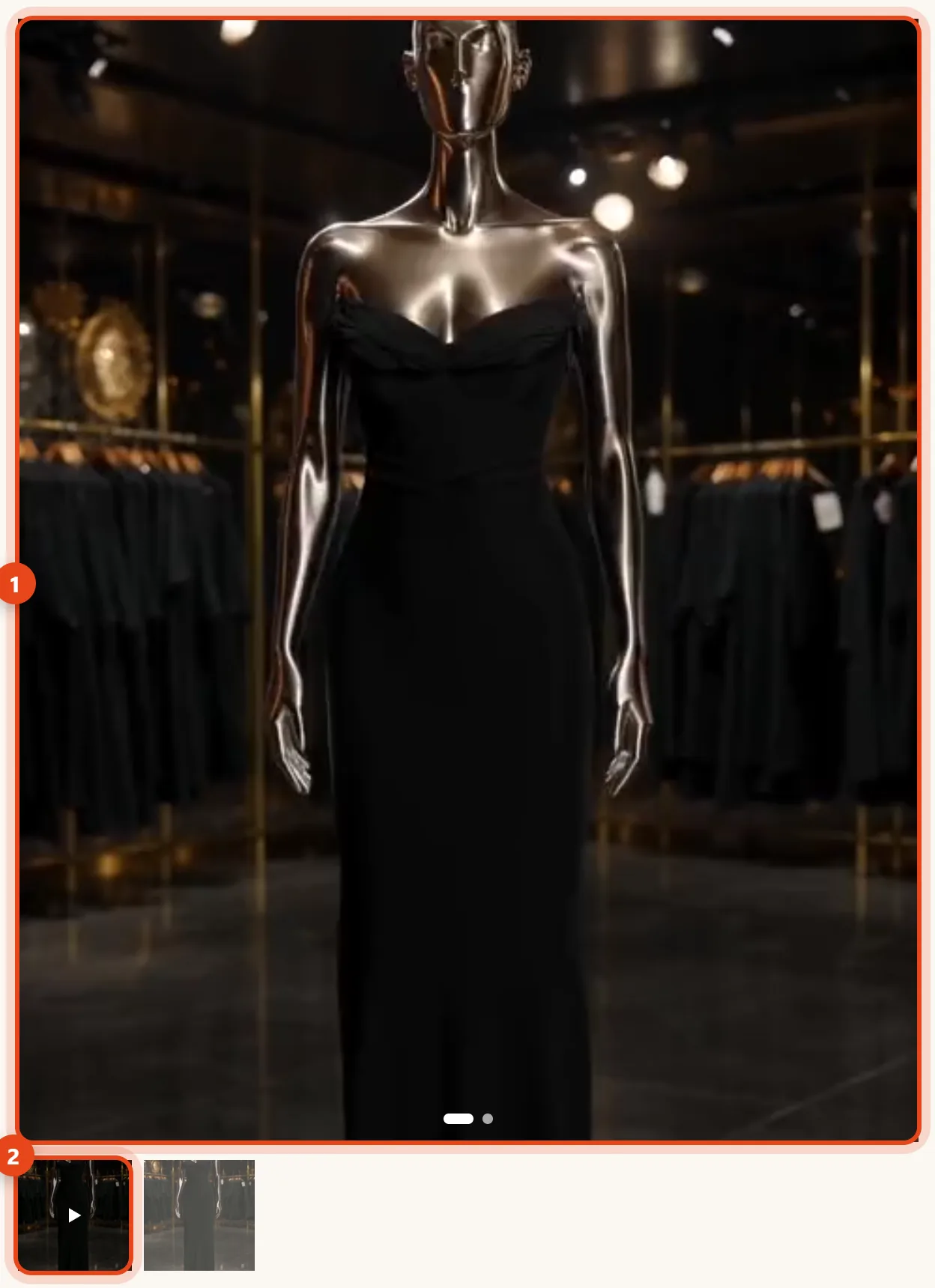
On the product page, the video is the first slide in the gallery (1) and plays on its own, muted, on a loop. In the thumbnails it has a play badge (2), and shoppers move between it and the photos as usual.
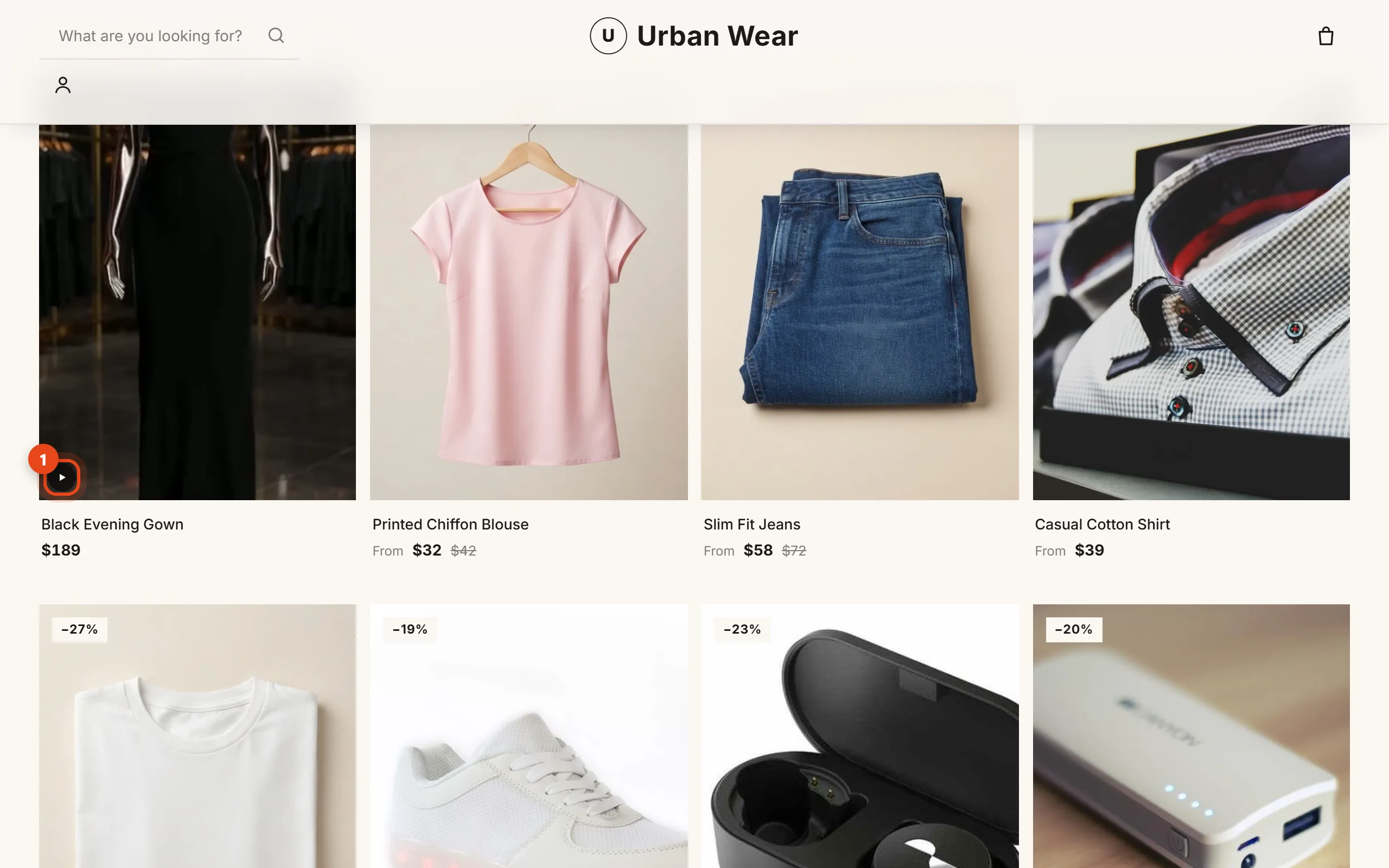
In product cards (home page, collections and search), products with a video get a small play badge (1). On desktop the video starts when the shopper hovers over the card, and on phones it starts when the card scrolls into view.
Ideas for product videos
- Turning mannequin: the product on a mannequin on a rotating stand, shown from the front, side and back.
- A model wearing it: a simple movement that shows the fit and how the fabric moves.
- Product on a table: perfume, a watch or a bag with light slowly moving across it.
Film it on your phone, or make it from a product photo with an AI video tool, then upload it here.