
Sizes and colors (variants)
Add sizes and colors to a product and get a table of every combination, each with its own price, quantity and SKU.
Adding sizes or colors
- On the product page, in Variants, click Option.
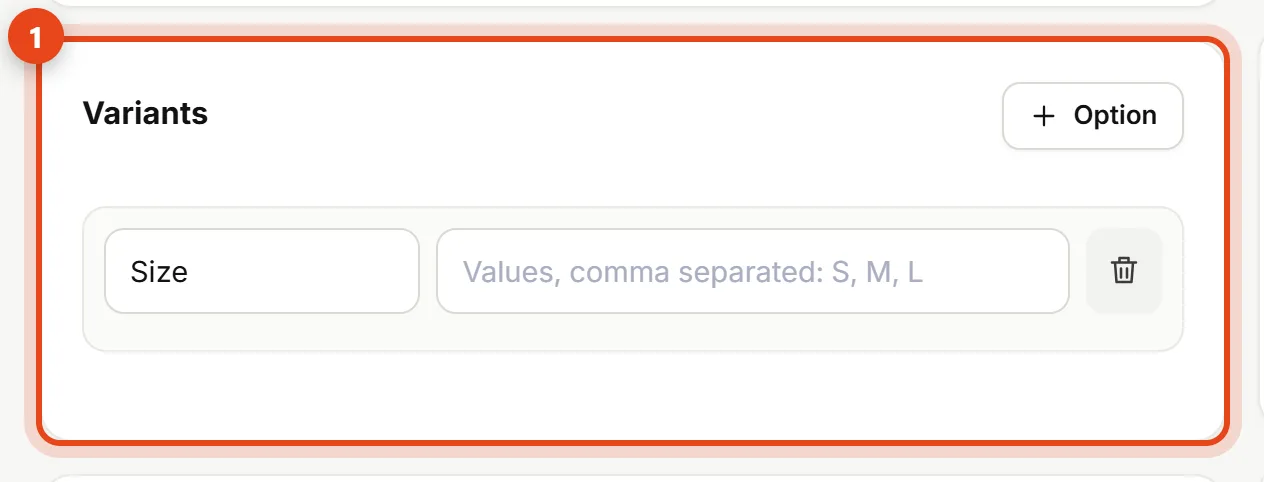
The Variants section - Type the option name (like “Size”) and its values separated by commas (like
S, M, L). Add a second option (like “Color”) if you need one. - A table appears with every combination (3 sizes × 2 colors = 6, for example). Enter the price, quantity and SKU for each.
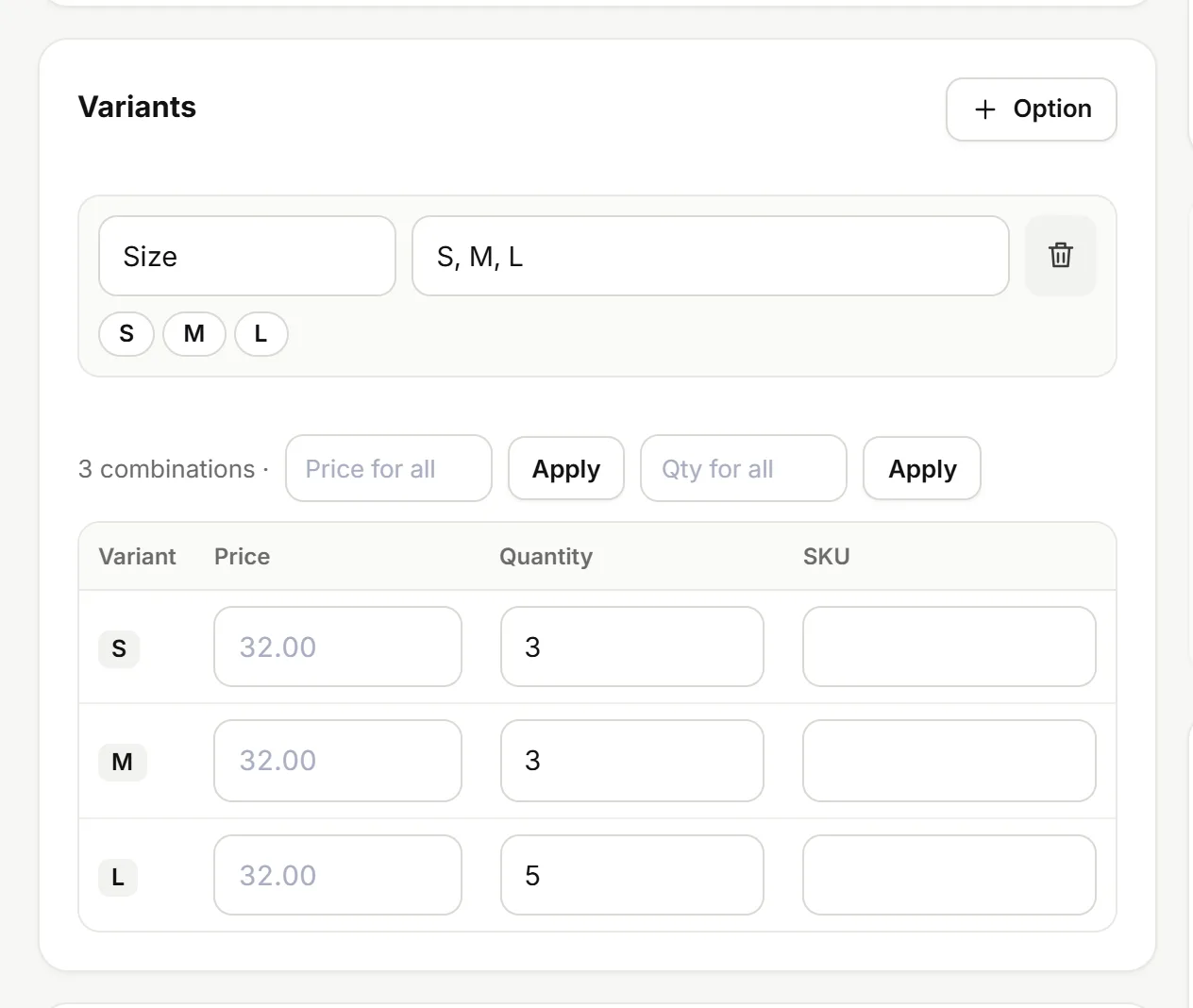
The combinations table - Save the product.
Same price for every size? Type it in Price for all and click Apply — same for quantity with Qty for all.
What customers see
On the product page the customer picks a size and color, and the price follows their choice. A combination with zero stock shows as unavailable and can't be ordered.
Notes
- Each combination has its own stock, which you'll find in Inventory and the bulk editor.
- Removing a value (like size XL) removes only its combinations. Past orders stay as they are.
- No sizes or colors? Leave the section empty.