
Inventory and low-stock alerts
Every product and variant you track in one page, lowest first, with quick edits and an alert before anything sells out.
Open this page in your dashboardIn Products, open the Inventory tab. It lists every product and variant with Track quantity on, lowest stock first.
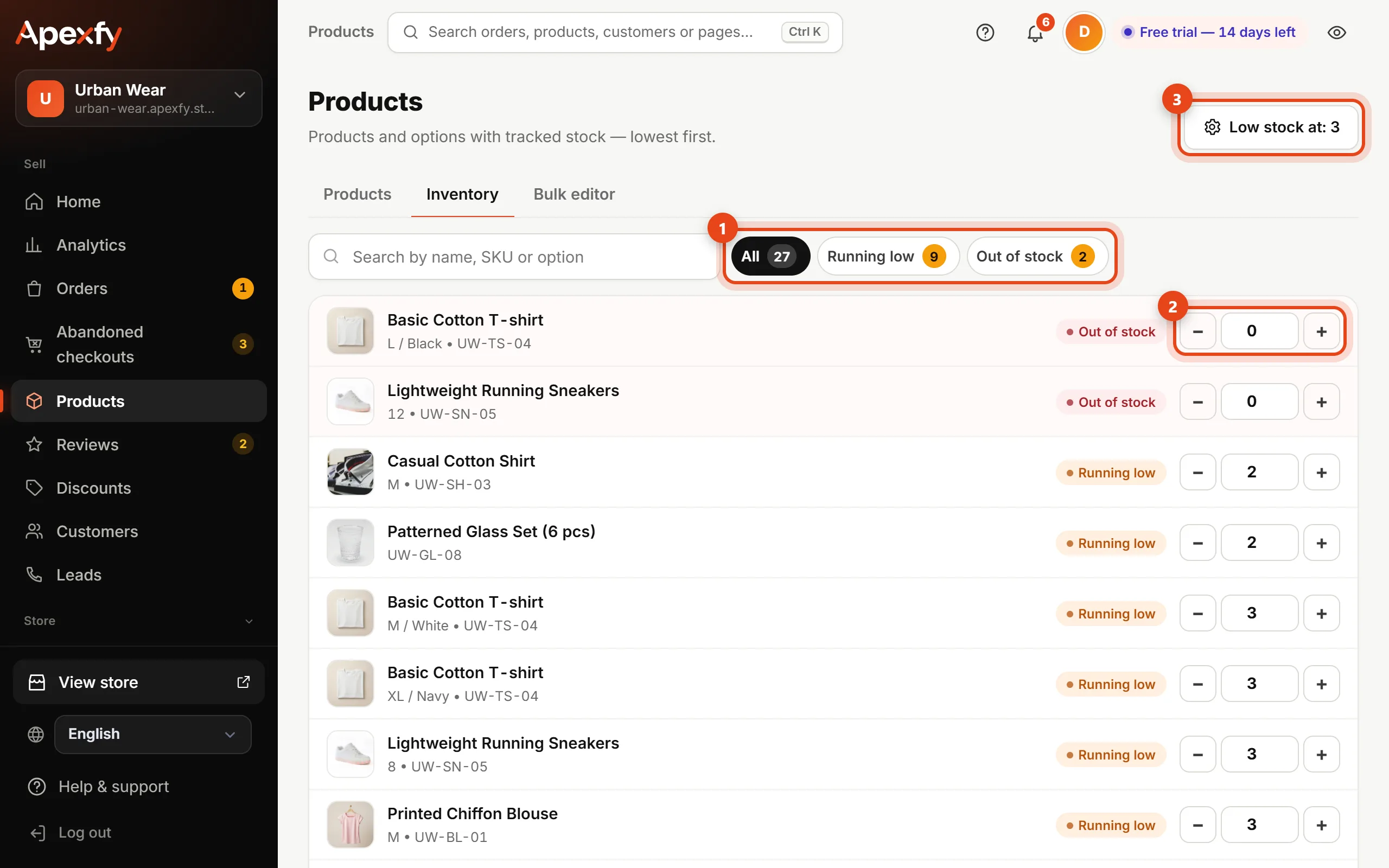
- Filter by All, Running low or Out of stock, or search by name, SKU or option.
- Change a quantity with − and +, or type the number, then click the Save button that appears next to it (or press Enter).
- Click Low stock at and enter the number you want to be warned at (3, for example).
When a product reaches that number, an alert shows on Home so you can restock before sales stop.
How stock changes on its own
- It goes down with every new order.
- It goes back up when you cancel an order or mark it returned.
- A product or variant at zero shows as unavailable in your store and can't be ordered.
Don't want to track stock for a product (made to order, for example)? Turn off Track quantity on the product page and it stays available.