
Edit many products at once
A spreadsheet-like table to edit prices, stock and costs for every product, paste straight from Excel, and change prices by a percentage for selected products.
Open this page in your dashboardThe bulk editor
In Products, open the Bulk editor tab. Each product is a row, and each size or color is a row under it.
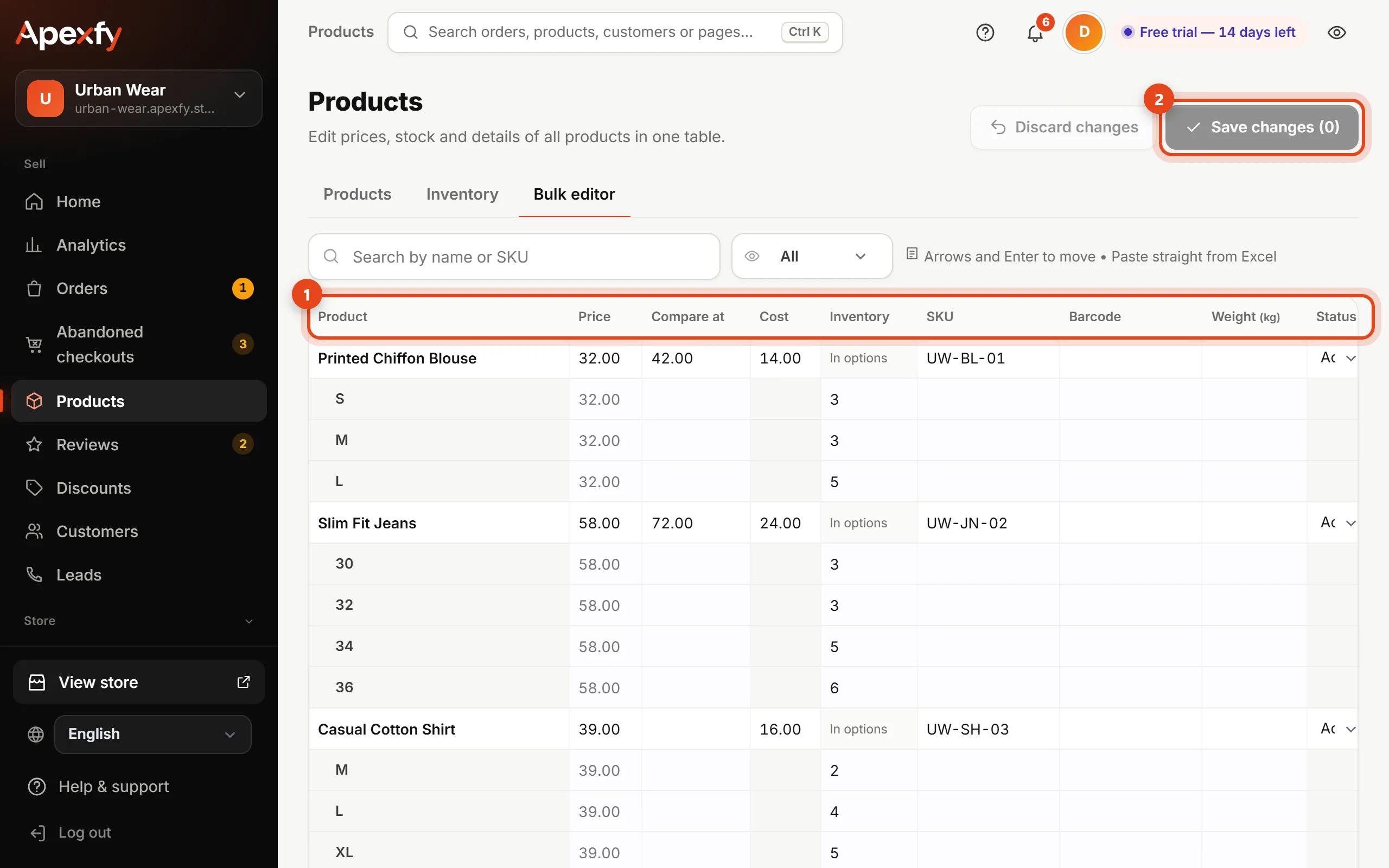
- Click any cell and type. Move with the arrow keys and Enter, like in Excel.
- Have your prices in a spreadsheet? Copy the column in Excel and paste it into the first cell — the cells below fill in.
- Changed cells are highlighted, and Save changes shows how many there are. Click it to save everything at once, or Discard changes to undo.
A product with sizes or colors shows “In options” in its inventory cell — edit the quantity on each variant's row.
Changing selected products from the list
In the Products tab, tick the products you want and a bar appears at the bottom with:
- Publish, Draft or Archive.
- Change price: lower or raise by a %. When lowering, you can show the old price crossed out. Variant prices change by the same %.
- Category: add the products to a category or remove them from it.
- Tag: add a tag to everything selected.
- Export CSV for the selection only, or delete it.
Export CSV at the top of Products exports in Shopify format. Edit the file and import it again — products are updated instead of duplicated.