
Collection filters
Shoppers narrow category and search pages by size, color, price and availability, so they find what they want faster. Filters are built from your products automatically.
When a shopper opens a category with lots of products, they only want to see their size and color. Filters sit above the products on category pages, All products and search results, and work on desktop and mobile with no setup.
What shoppers see
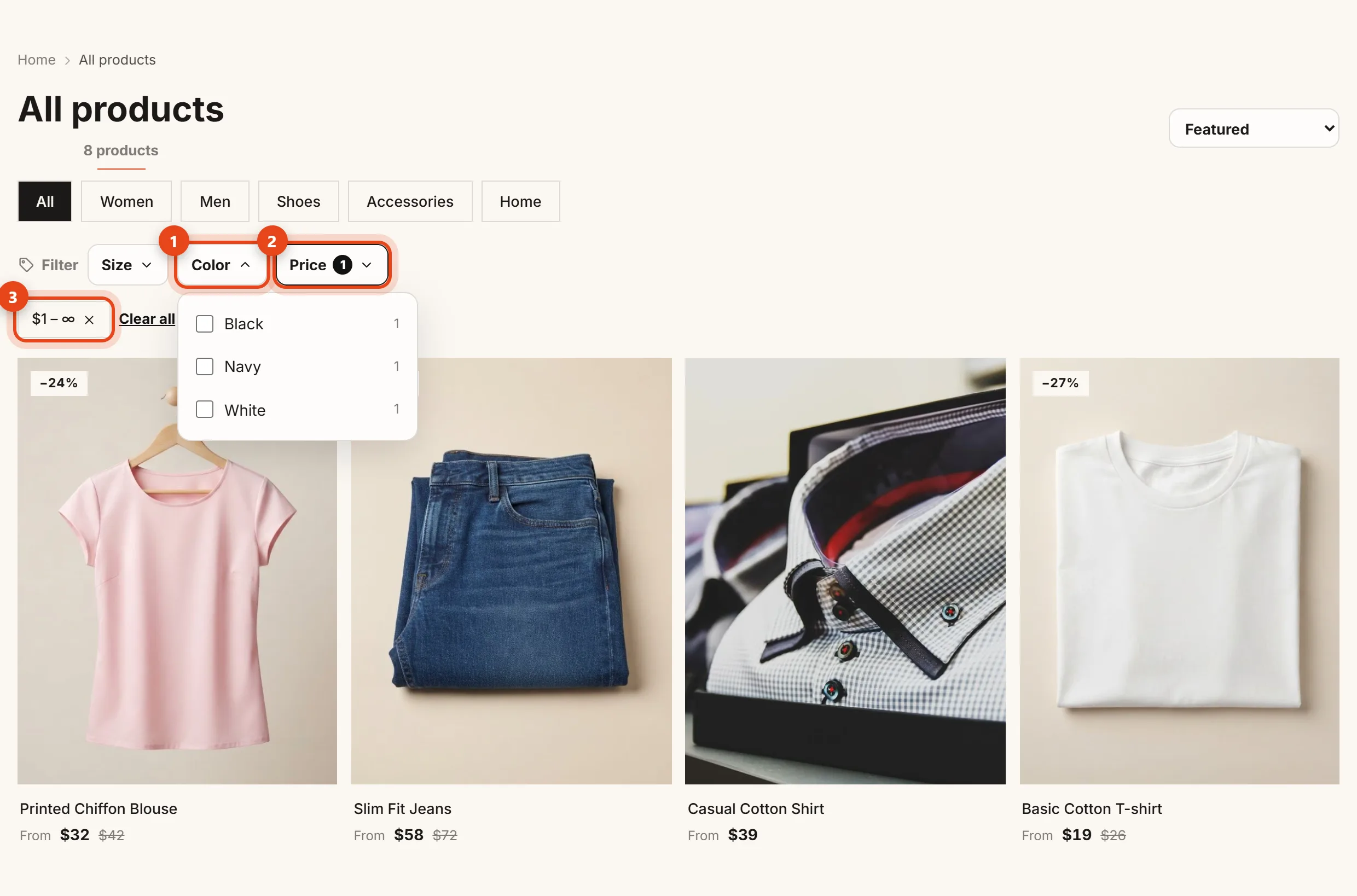
- Each of your product options (like Size or Color) becomes a dropdown (1), with the number of products next to each value. Shoppers can pick more than one value, like M and L together.
- Price (2): the shopper enters a min and max and taps Apply.
- In stock only hides sold-out products. It only shows up when some of your products are sold out.
- Active filters appear under the bar (3). Shoppers can remove one with a tap, or Clear all.
When a shopper picks a size and a color, a product shows only if it actually has that size in that color. With In stock only, that exact combination has to be in stock.
Where filters come from
- Options and their values come from your product options. Add a "Size" or "Color" option to your products and it shows up in the filters automatically.
- Each page shows the top 4 options, and an option with only one value is left out.
- Sizes are sorted the way shoppers expect: S, M, L, XL, and numbers from smallest to largest.
- Price filtering checks the price of every variant, not just the price on the card.
Control the filters
- Open Settings and find the Collection filters card.

Collection filters card in Settings - Show filters in the store (1) turns all filters on or off.
- Turn off the Price filter or the "In stock only" filter if you don't need them.
- Under Options shown (2), uncheck any option you don't want shoppers to filter by, like an internal one.
- Click Save, then open View the products page to see the result.
Filtered pages are kept out of Google so your store doesn't show up thousands of times. Category pages themselves are indexed as usual.
See also Sizes and colors (variants) and Categories, menus and pages.