
The Assistant: Ask and Do it for me
Ask about any step in your dashboard or your store's numbers, or ask for a change in plain words and review the plan before anything happens.
The Assistant button sits at the bottom of every dashboard page. It opens a side panel (full screen on phones) with two modes: Ask and Do it for me.
Ask: answers about your store and dashboard
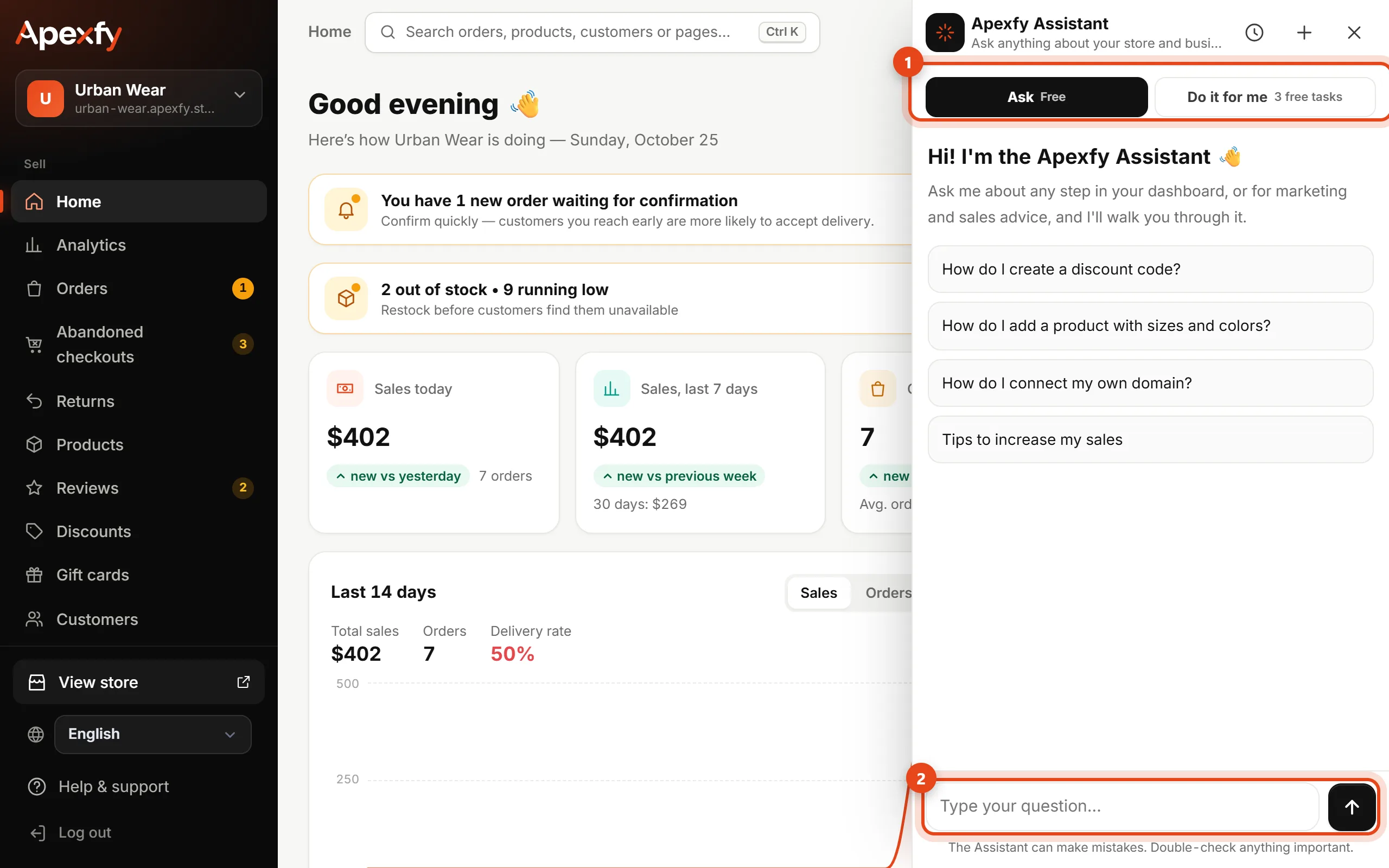
- Click Assistant and make sure Ask is selected.
- Type your question in your own words, like "How many orders today?", "Which products are running low?" or "How do I list my products on Google?".
- The Assistant answers from the help center and your store's real data (orders, products, stock and analytics), with a link that opens the right page.
Ask is free, with a daily message limit shown under the message box. The clock button shows Past chats, and + starts a New chat.
Do it for me: changes in plain words

- Choose Do it for me and type the change, like "Raise all prices by 10%" or "Create a 15% off coupon for first orders".
- The Assistant prepares a plan that shows exactly what will change (current and new values). Nothing changes until you approve it.
- Click Do it to apply it, Change to change the plan in words, or No to cancel.
- After it's done, an Undo button stays available for 7 days, as long as the values haven't changed since.
What it can do: edit products, prices and product text, create a product, create or pause a coupon, set the announcement bar, confirm orders, ship an order, create a category and change some store settings.
Cost: every store gets 3 free Do it for me tasks. After that, each task is $0.10 from your Apexfy Wallet, and the tasks you have left show on the mode button. A task counts once even if it makes several changes, and a change that fails or that you decline isn't charged.
Talk to a person on our team
Tell the Assistant you want a customer service agent or a real person. It sends your message to the Apexfy team, and the reply goes to the store owner's email. You can also write to us directly at [email protected].
Safety and permissions
- The Assistant only sees and changes what your permissions allow. Staff need the Assistant “Do it for me” permission to use Do it for me (Team and permissions).
- It never sees full customer phone numbers or product costs.
- If we notice an unusual burst of changes, we pause Do it for me for a while and email you.