
Import a product from AliExpress
Go step by step from connecting your account to seeing the product in your store, by searching your dashboard or pasting a link from AliExpress.
This guide takes you from the start until an AliExpress product is in your store. You can search from your dashboard, or copy the link of a product you found on AliExpress and paste it in.
Before you start
- Connect your account under Find products > Suppliers. The steps are in the suppliers guide.
- Check the pricing rule in your AliExpress settings. Your suggested selling price comes from it.
Bring in a product you found on AliExpress
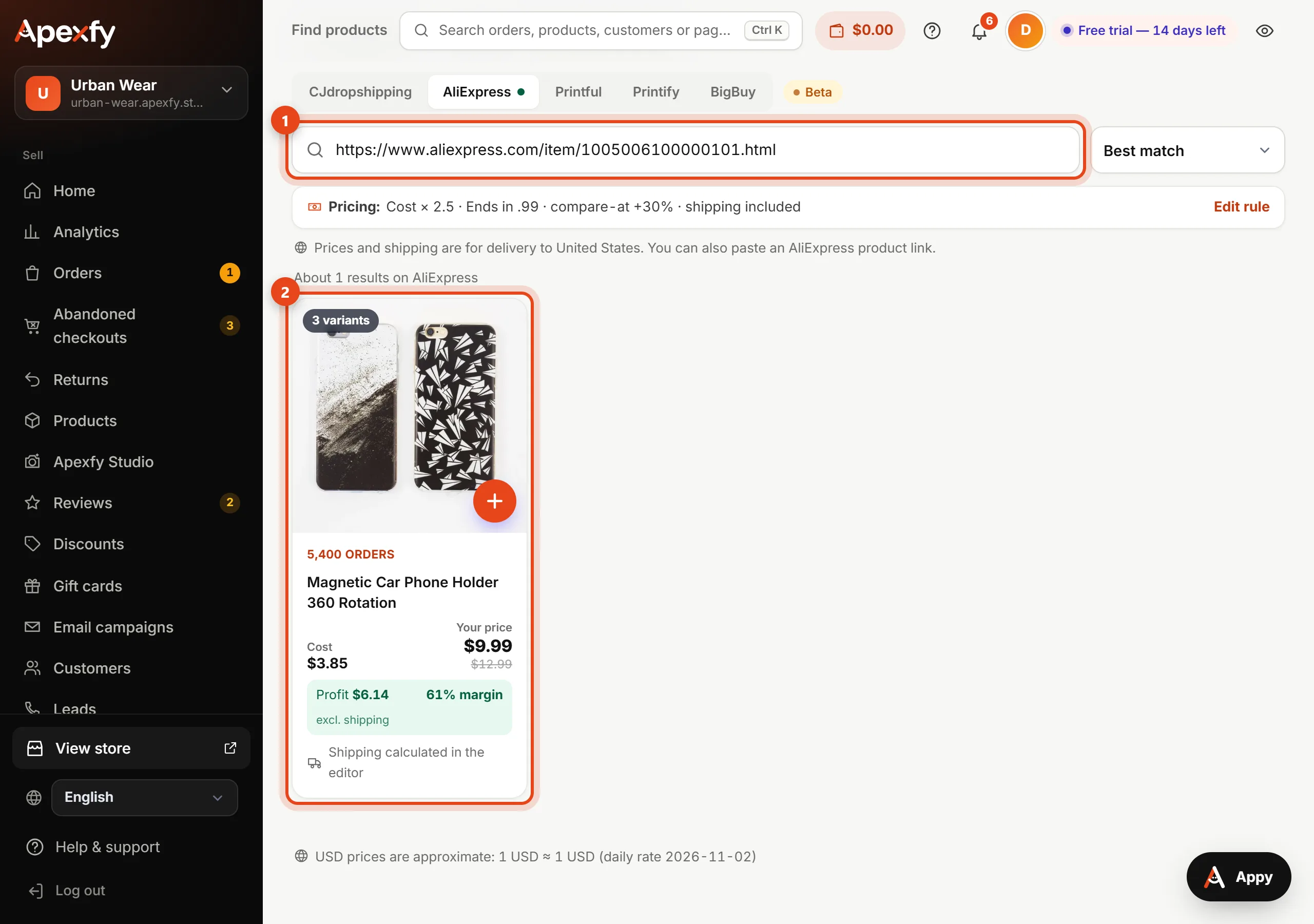
- Open the product page on AliExpress in your browser.
- Copy the link from the address bar. The right link has
aliexpress.com/item/followed by the product number. - Back in your dashboard, go to Find products > Catalog and pick AliExpress at the top.
- Paste the link into the search box and wait a moment. The product appears with its cost, suggested price, and shipping.
You can also paste just the product ID, the long number inside the link.
The share link in the AliExpress mobile app is a short link and won't work here. Open the product in a phone or computer browser and copy the full link.
Or search from your dashboard
In the Catalog, pick AliExpress and search in English, like phone holder. You can sort results by most orders or by price.
Review the product before importing
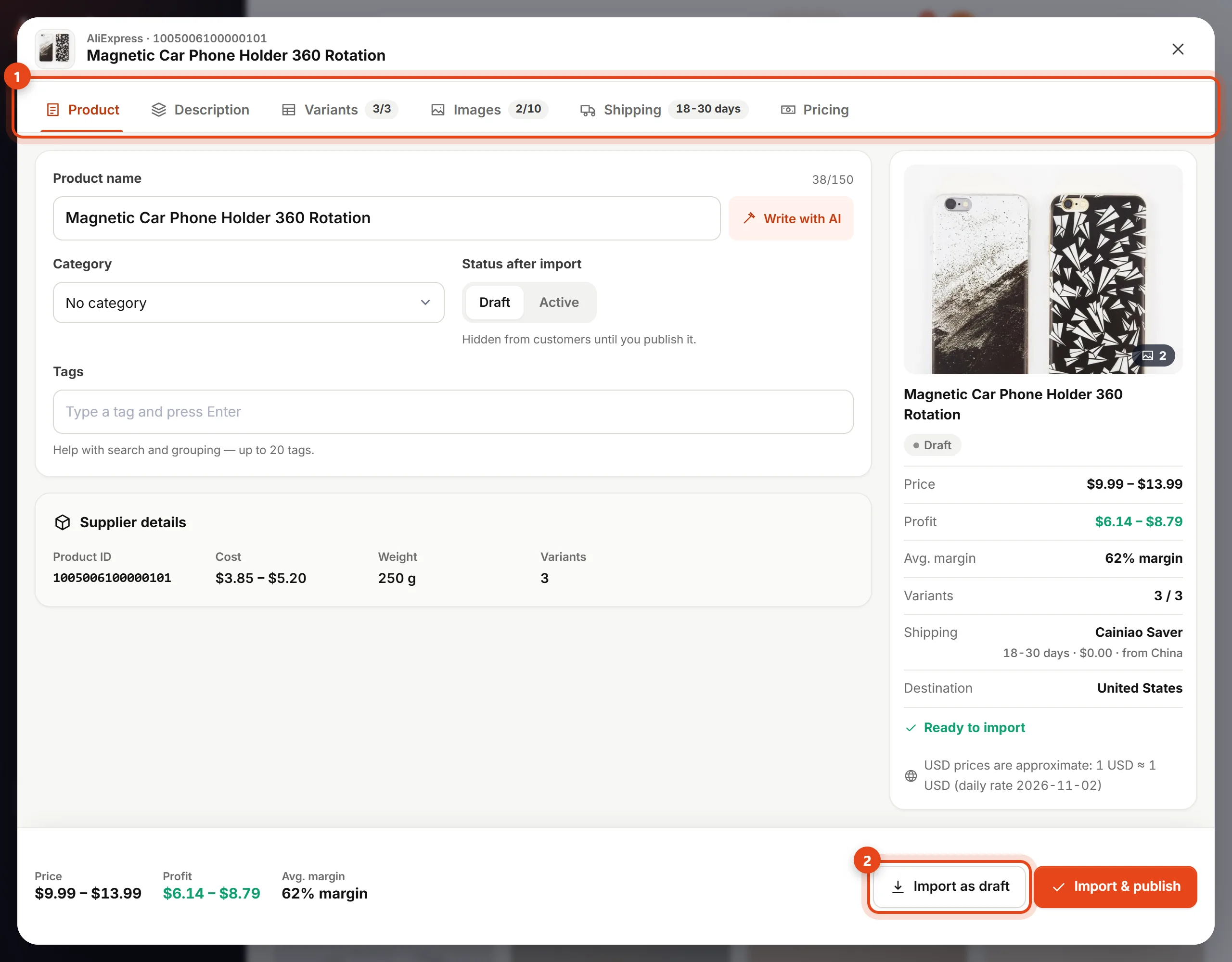
- Click the product to open the import editor.
- Edit the name and description for your customers.
- Open Variants to remove anything you don't want to sell, and Images to choose the photos for your store.
- Open Shipping to pick a method for your customers' country, then Pricing to check your price and profit.
- Click Import as draft. Customers won't see it until you publish it.
The + button on a product card imports it in one click with your global rule, also as a draft.
Publish it in your store
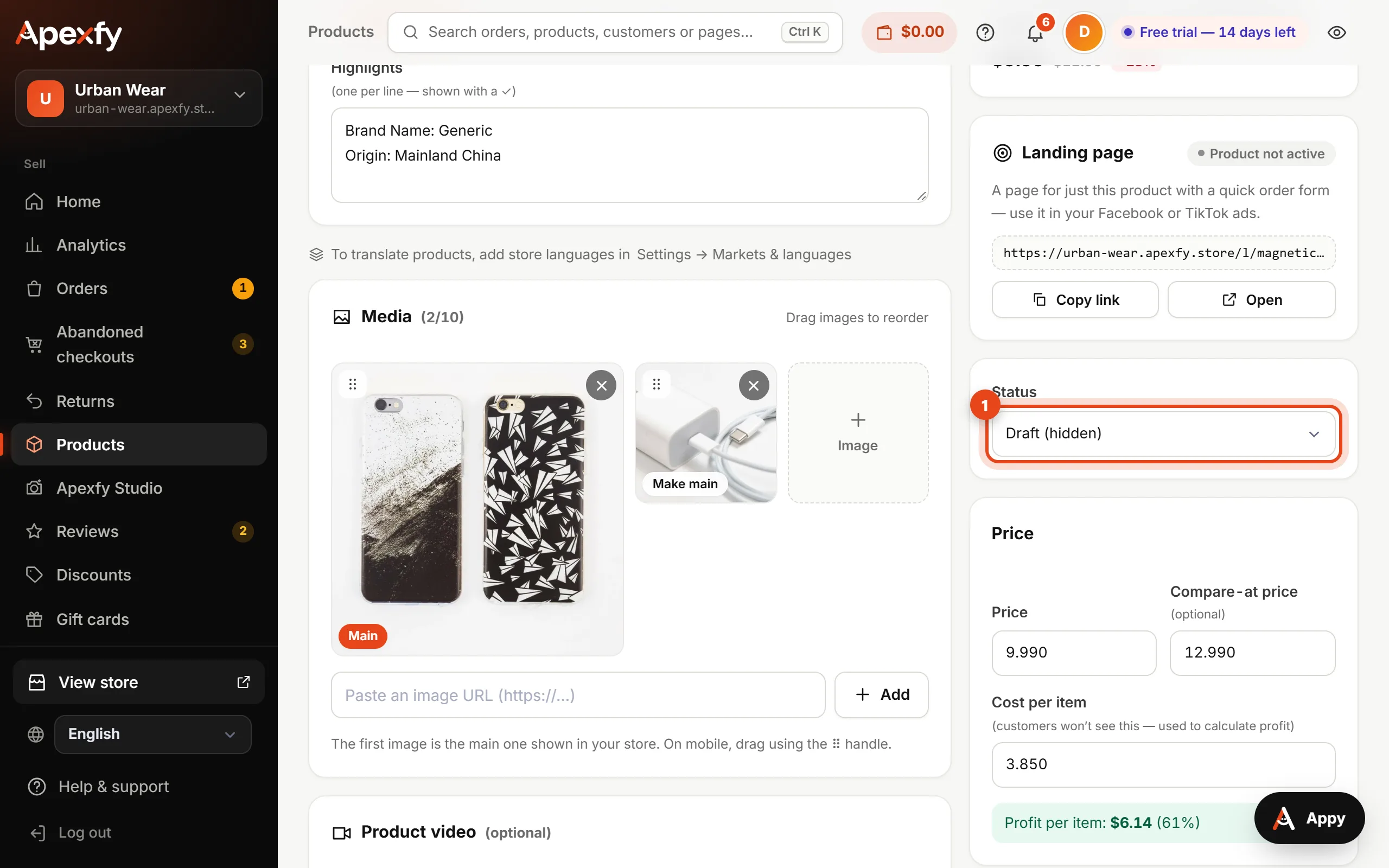
- Open Products and pick the product you imported.
- Check the photos, variants, and price.
- Change the Status to Active (visible in store), then save.
- Open your store and try selecting each variant.
When you get an order
When you confirm an order, it's created in your AliExpress account unpaid. Open Supplier orders, click My AliExpress orders, and pay there so the seller ships. See the suppliers guide for details.
Check your first orders on AliExpress yourself. Confirm the address, variant, and shipping method before you pay.