
Apexfy Magic: AI tools
Describe your business and get a full store draft, write and translate product descriptions, and get daily insights from your store's numbers.
Open this page in your dashboardApexfy Magic is a set of AI tools that work alongside you, and you always decide: everything it makes is a draft that isn't saved until you approve it.
A full store draft from a short description
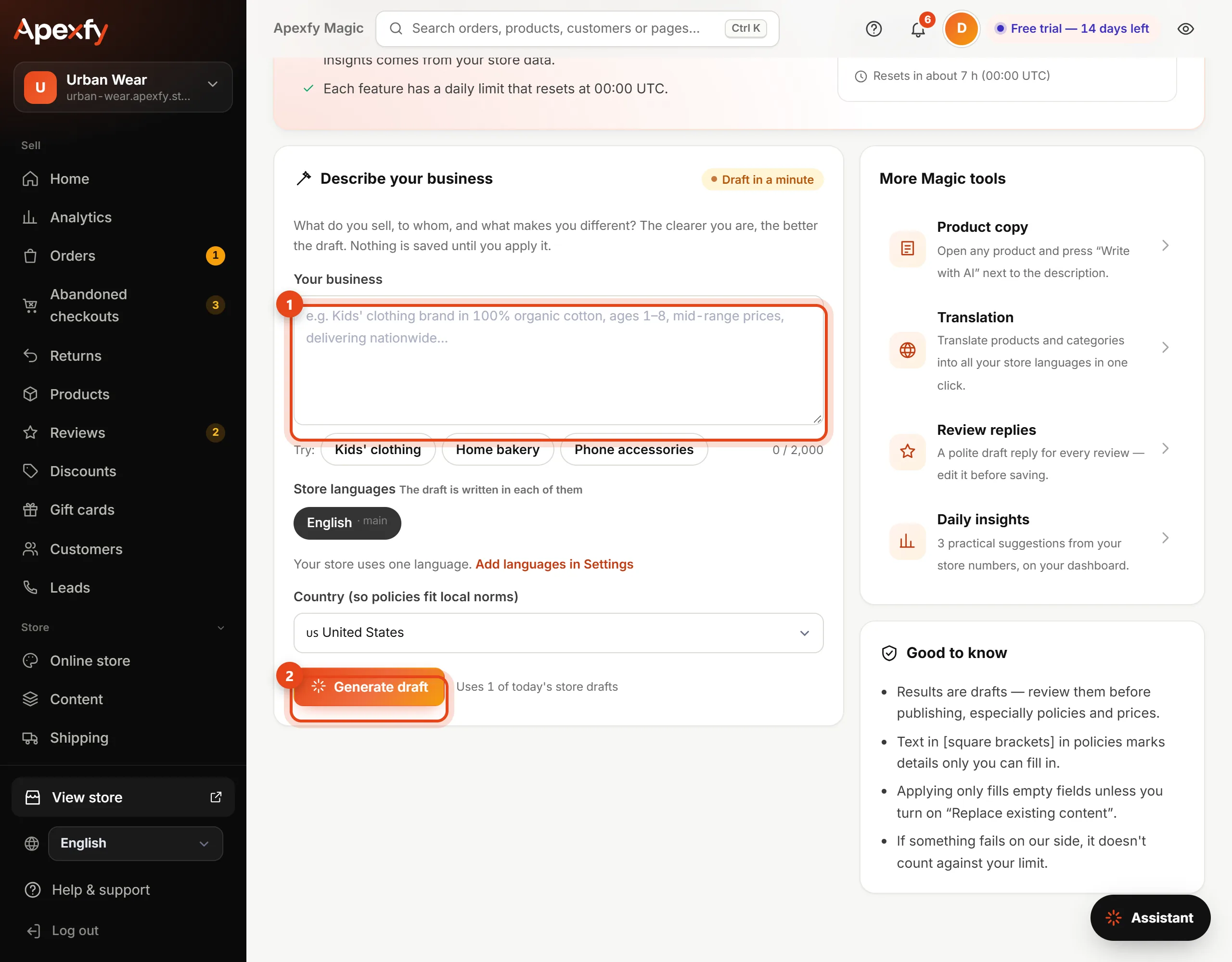
- Open Apexfy Magic from the menu.
- Under business description, write what you sell, who it's for and what makes you different. The clearer you are, the better the draft.
- Check your store languages (the draft is written in all of them) and country (so the policies fit local rules).
- Click Generate draft and give it up to a minute.
- The draft shows up: store name, description, theme and colors, home page sections, categories, policies, announcement bar and SEO. Select the parts you like.
- Click Apply to my store. Applying is free and doesn't count against your limit.
Other Magic tools
| Tool | Where to find it |
|---|---|
| Write with AI | On any product page next to the description. It writes the description, highlights and search title and description |
| Translate all with AI | In the Translations card on a product (Product details) |
| Translate catalog with AI | On the Products page, to translate your whole catalog into every store language |
| Today's insights | On Home: a summary of the last 7 days and 3 practical steps from your store's numbers. Click Get insights |
Daily limits
Each tool has a daily limit, shown at the top of the Apexfy Magic page, that resets at midnight UTC. If something fails on our side, it doesn't count against your limit.
Need more than today's limit? Turn on Keep going from the wallet after the daily limit in your Apexfy Wallet. Each extra use is then paid from your balance at a small price (for example $0.02 for a product description and $0.01 for a translated text), up to a daily spending limit you choose. If something fails, the money goes back to your wallet.