
Create your store
Store name, link and country in a minute, then a short checklist to your first order. Free trial, no card needed.
Open this page in your dashboardSteps
- After you sign up you'll see Open your store in a minute. Type the store name — the store link is filled in from it and we tell you right away if it's available.
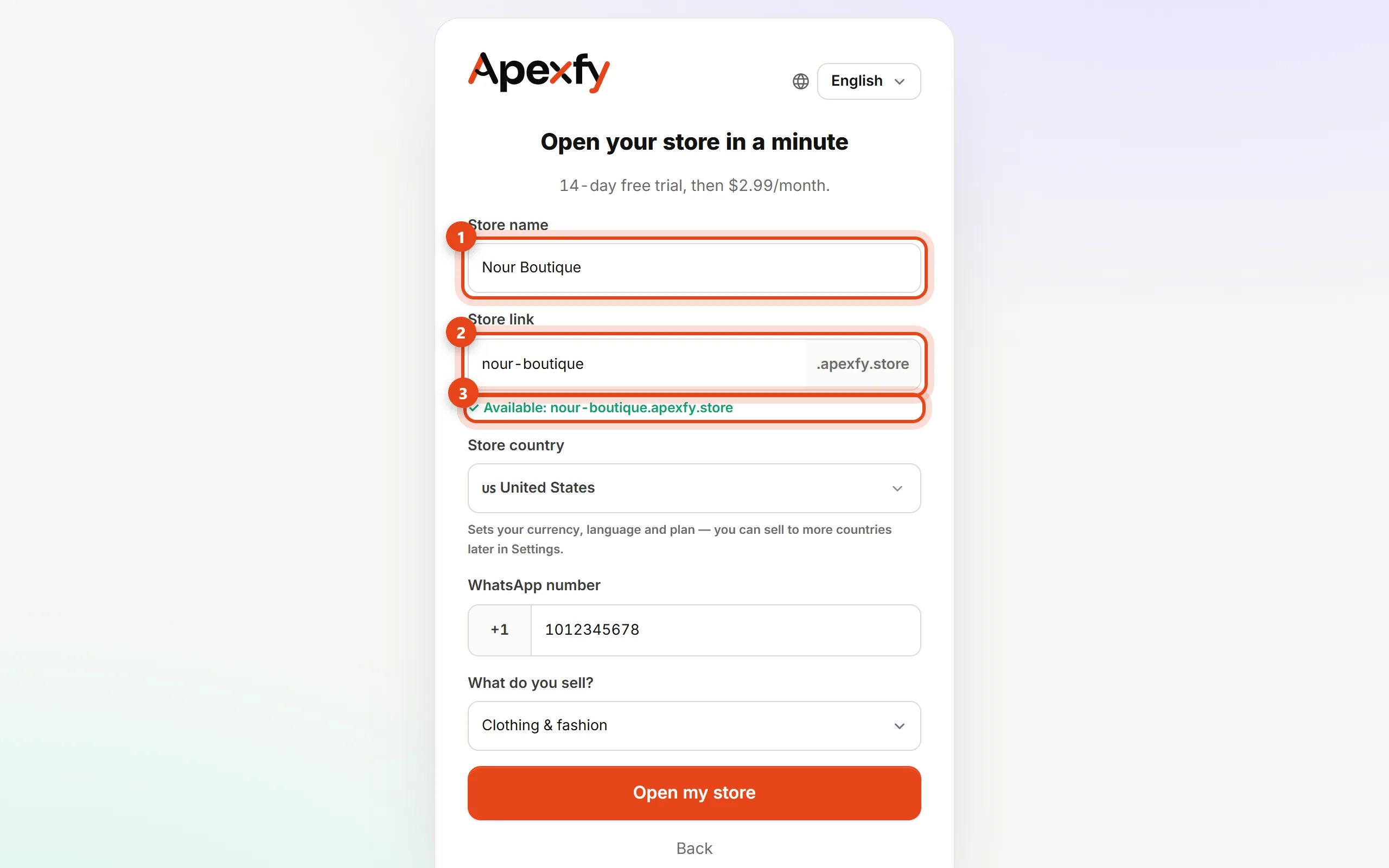
Store name and link - Pick the store country. It sets your currency, language and plan — you can sell to more countries later in Settings.
- Enter the WhatsApp number your customers can reach you on, choose What do you sell?, and click Open my store.
- Your store is live at
your-store.apexfy.store. From Home you can describe your business in a couple of sentences and Apexfy Magic sets up your categories, pages and first products (optional).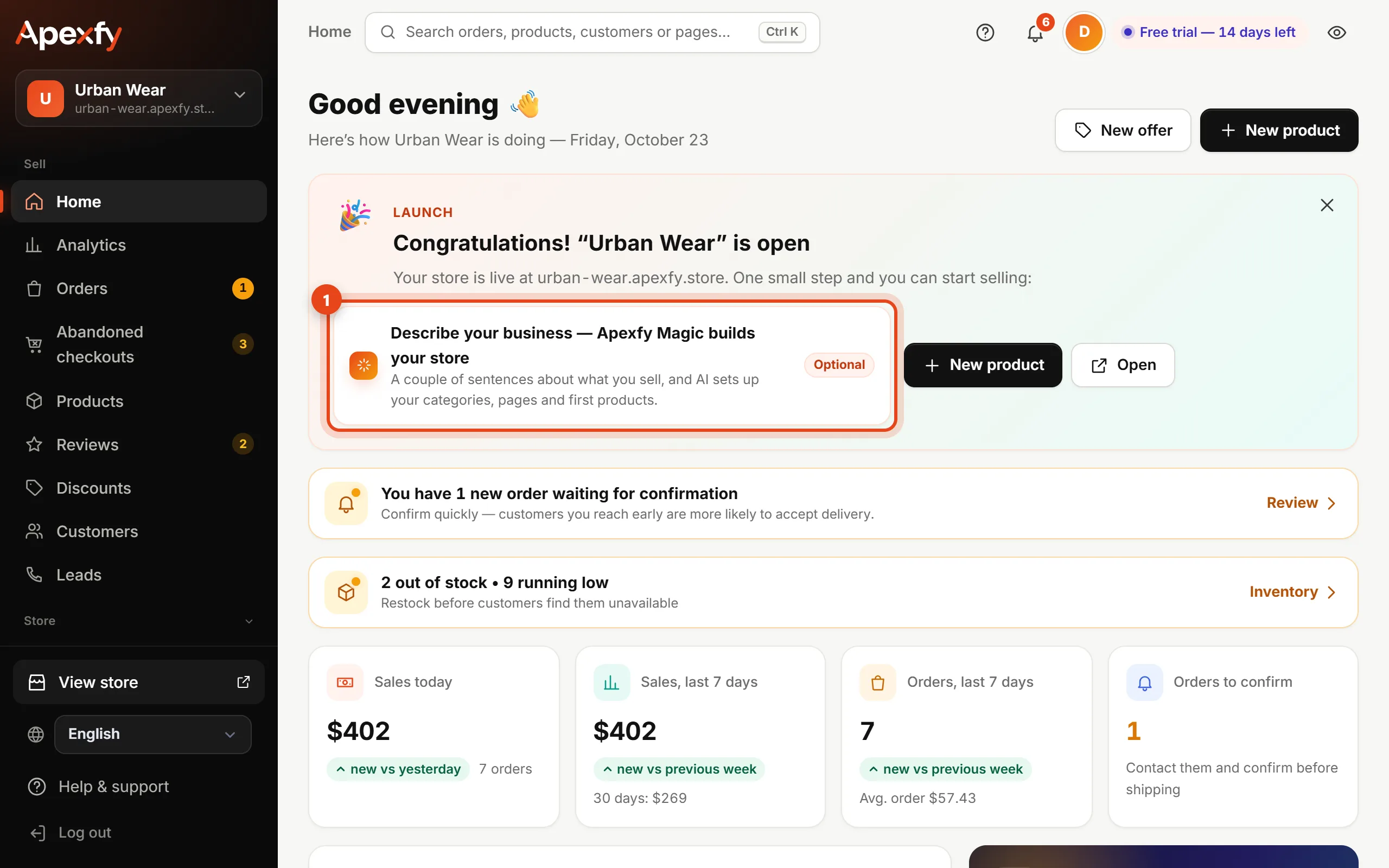
The welcome card and Apexfy Magic
The link uses lowercase letters, numbers and dashes only. Don't overthink it — you can connect your own domain like
yourstore.com later.Next steps
Home shows a checklist of what's left before you can sell:
- Get your first order, then confirm it
The trial is free for a number of days (the length and the price after it are shown at the top of the sign-up page for your country). Plan details are in Plan & billing.