
Shipping rates and delivery
One flat rate, or a rate per country and per region, with free shipping over an amount — and switch off regions you don't deliver to.
Open this page in your dashboardOpen Shipping.
Steps
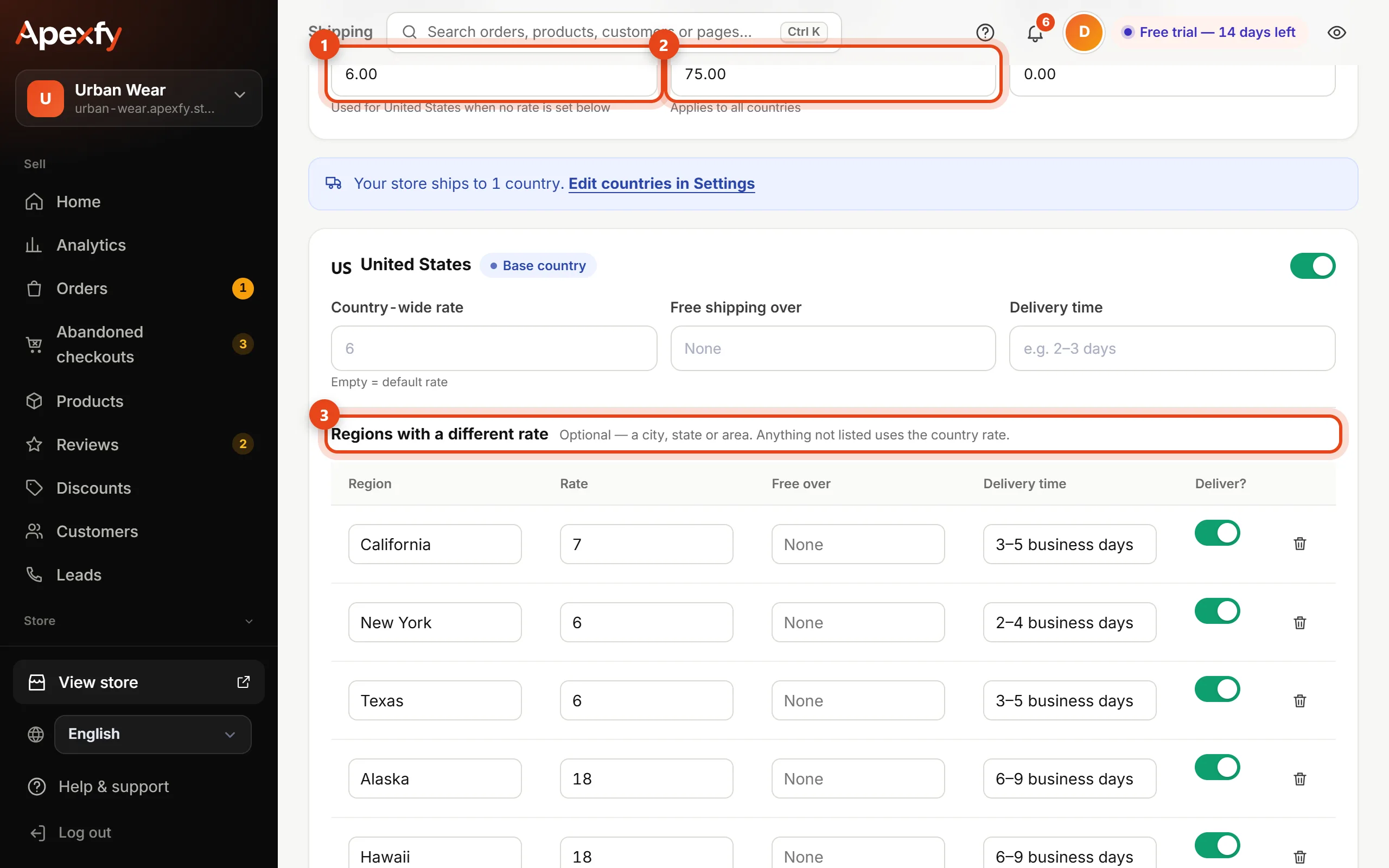
- Enter the Default shipping rate. It's used for any region without its own rate.
- Enter Free shipping on orders over if you like (1,500, for example), and a Minimum order value if you have one.
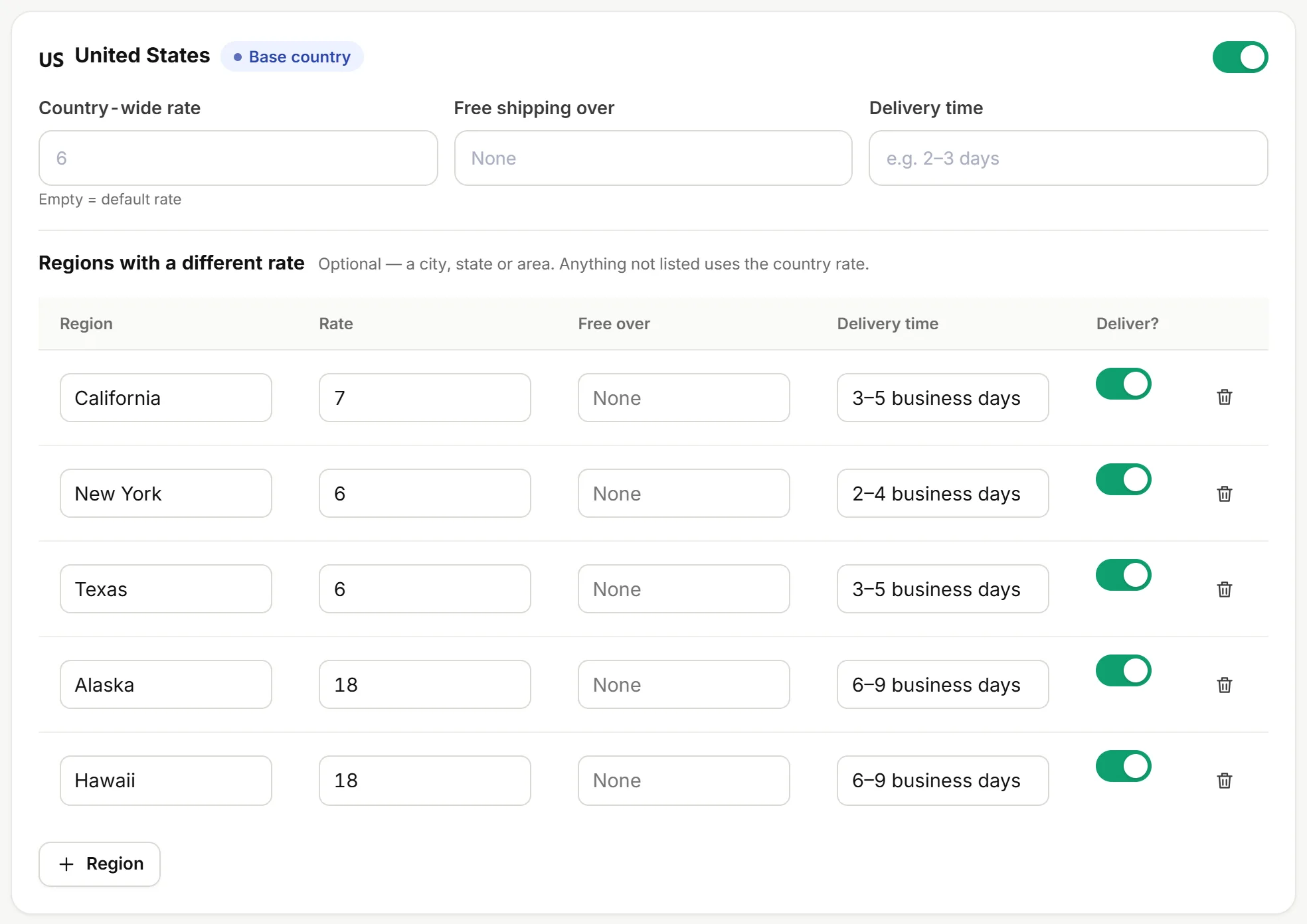
- Each country you sell to has a card with a Country-wide rate, Free shipping over and a Delivery time (like “2–3 days”) that customers see.
- Open Rates per region to set a rate and delivery time for each one. Empty cells use the country rate.
Rates per region - Click Save.
A region you don't deliver to? Switch off Deliver? next to it and customers won't be offered it at checkout.
Common questions
- Selling to other countries? Add them in Settings and each gets its own card here.
- A region with many returns? Check Delivery by region; you can raise its shipping rate or always confirm its orders by phone.
- Your real shipping cost differs from what customers pay? Enter it in the Real profit settings.