
Connect your own domain
Put your store on your own domain (like example.com) in minutes, with a free security certificate and automatic redirects between www and the root.
Open this page in your dashboardInstead of the free link your-store.apexfy.store, your store can live on your own domain, like example.com. We connect both versions (example.com and www.example.com) together, issue the security certificate (https) for free, and keep checking your records on our own — you don't need to come back and press anything.
Before you start
- A domain you bought from any provider (Hostinger, GoDaddy, Namecheap, Cloudflare or any other).
- You are the store owner (staff don't see the Domain page).
- A plan that includes a custom domain.
Steps
- In the side menu open Domain, then click Connect domain.
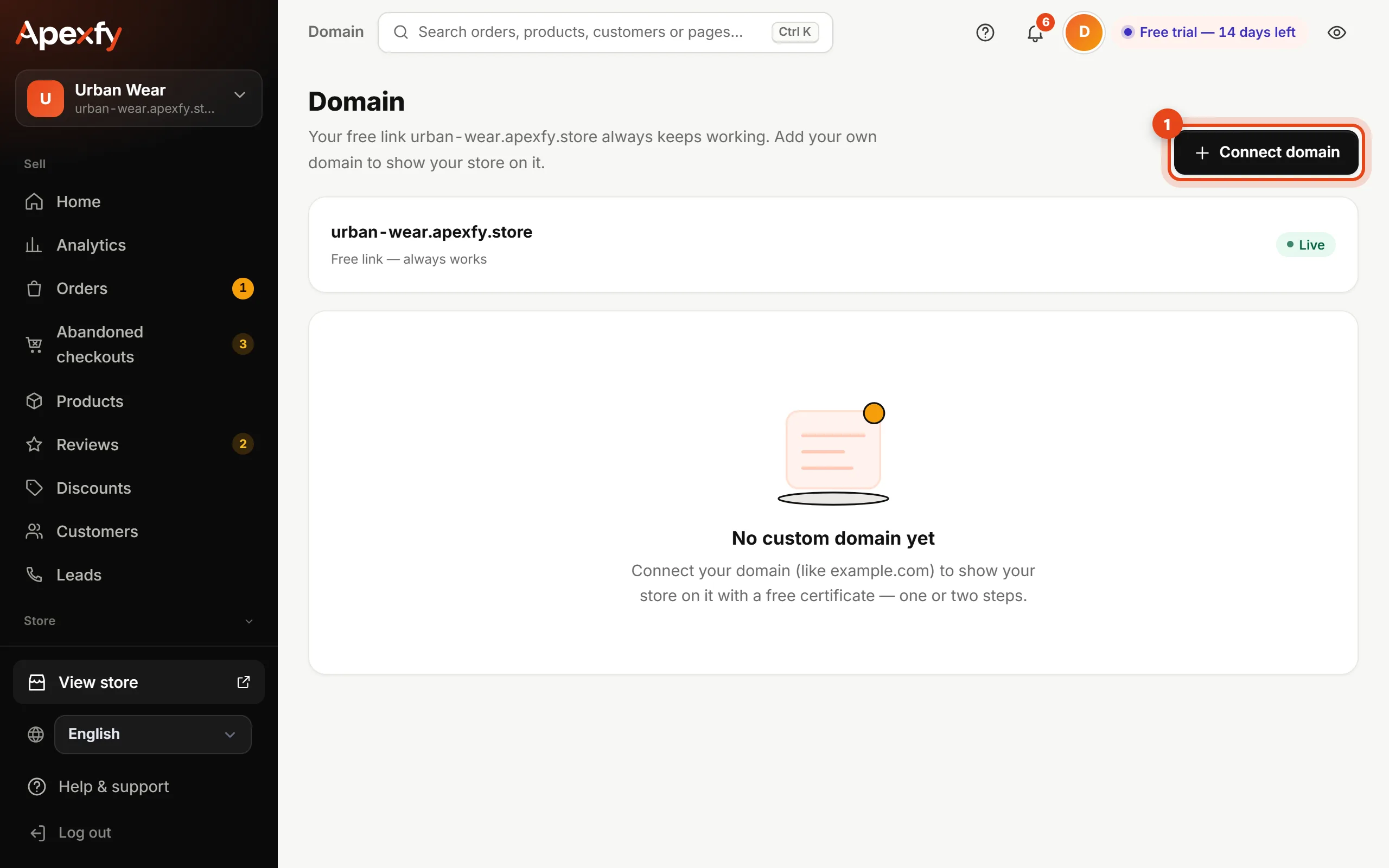
The Domain page and the “Connect domain” button - Type your domain without
https://and click Connect domain. Enter the root domain (example.com) or the www version — we add both.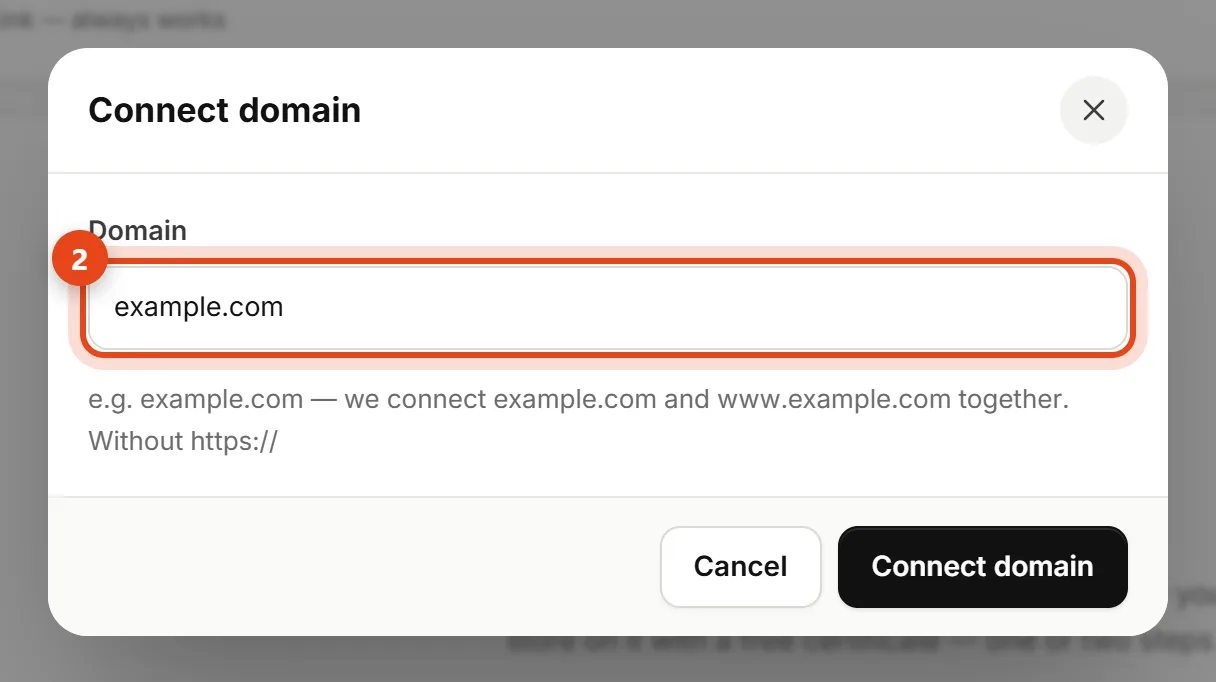
The add-domain dialog - You'll see the records to add, together with the steps for the company you bought the domain from (we detect it automatically) and a link that opens its DNS page. Copy the Name and the Value with the buttons and add them exactly as shown.
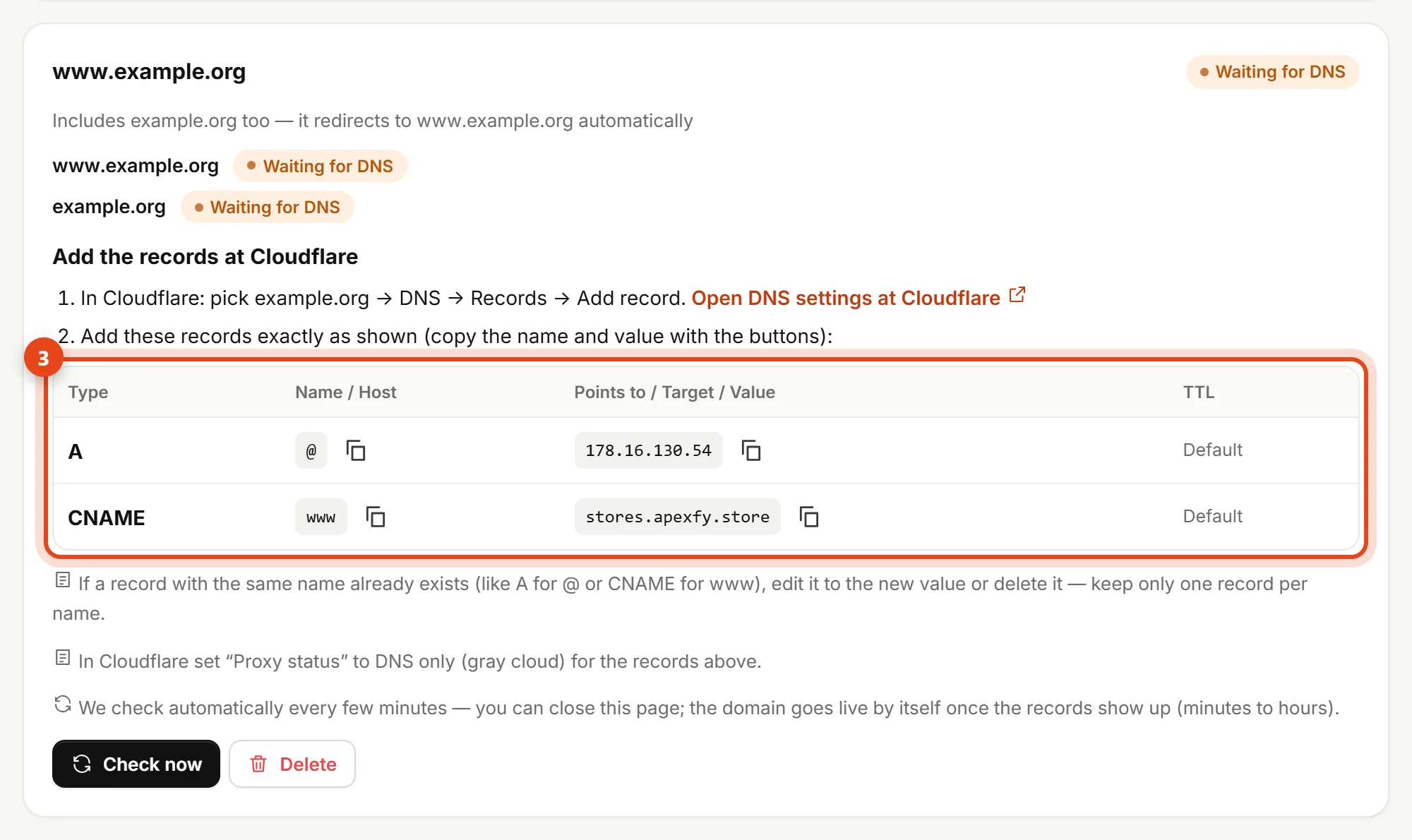
The records to add, with copy buttons - Wait. We check your records automatically every few minutes; as soon as they show up we issue the certificate and the domain becomes Live. It usually takes from a few minutes to an hour, sometimes up to 24 hours.
- When the domain is live it becomes primary automatically: every store link in the dashboard (sharing, WhatsApp, product feeds) uses it, and the free link redirects to it.
The records you add
| Type | Name | Points to |
|---|---|---|
A | @ | The address shown on the Domain page |
CNAME | www | stores.apexfy.store |
@ means the domain itself, with nothing added.A record for @ from the provider's parking page, or a CNAME for www), edit it or delete it. Keep only one record per name, or part of your visitors will go somewhere else.One-click setup
If your domain provider supports Domain Connect, you'll see a “Connect automatically with …” button. Click it, sign in at your provider and approve — the records are added for you and you come back to the dashboard. If you don't see the button, your provider doesn't support it yet: add the two records by hand as in the steps.
If your domain isn't working
| Message | Fix |
|---|---|
| The A record for @ doesn't point to … yet | Add the A record or correct its value, then wait a few minutes. |
| The CNAME record for www doesn't point to … yet | Add a CNAME for www with the value stores.apexfy.store. |
| There's another A record for @ | Delete the old record and keep only the Apexfy one. |
| There's an AAAA record for @ | Delete the old AAAA (IPv6) record. |
| This domain was added in another store too | Add the extra TXT record shown — it proves the domain is yours. |
Frequently asked questions
- Do I have to transfer my domain to Apexfy? No. Your domain stays with your provider; you only add two records.
- Will email on my domain be affected? No. Email records (
MX) have nothing to do with these two records — don't delete them. - How many domains can I connect? Up to 3 per store (the root and its www count as one).