
Real profit
What you really made after product cost, shipping, returns, collection fees and ads — from orders you actually got paid for.
Open this page in your dashboardOpen Analytics → Real profit and pick a period (today, 7 days, 30 days…) or set two dates.
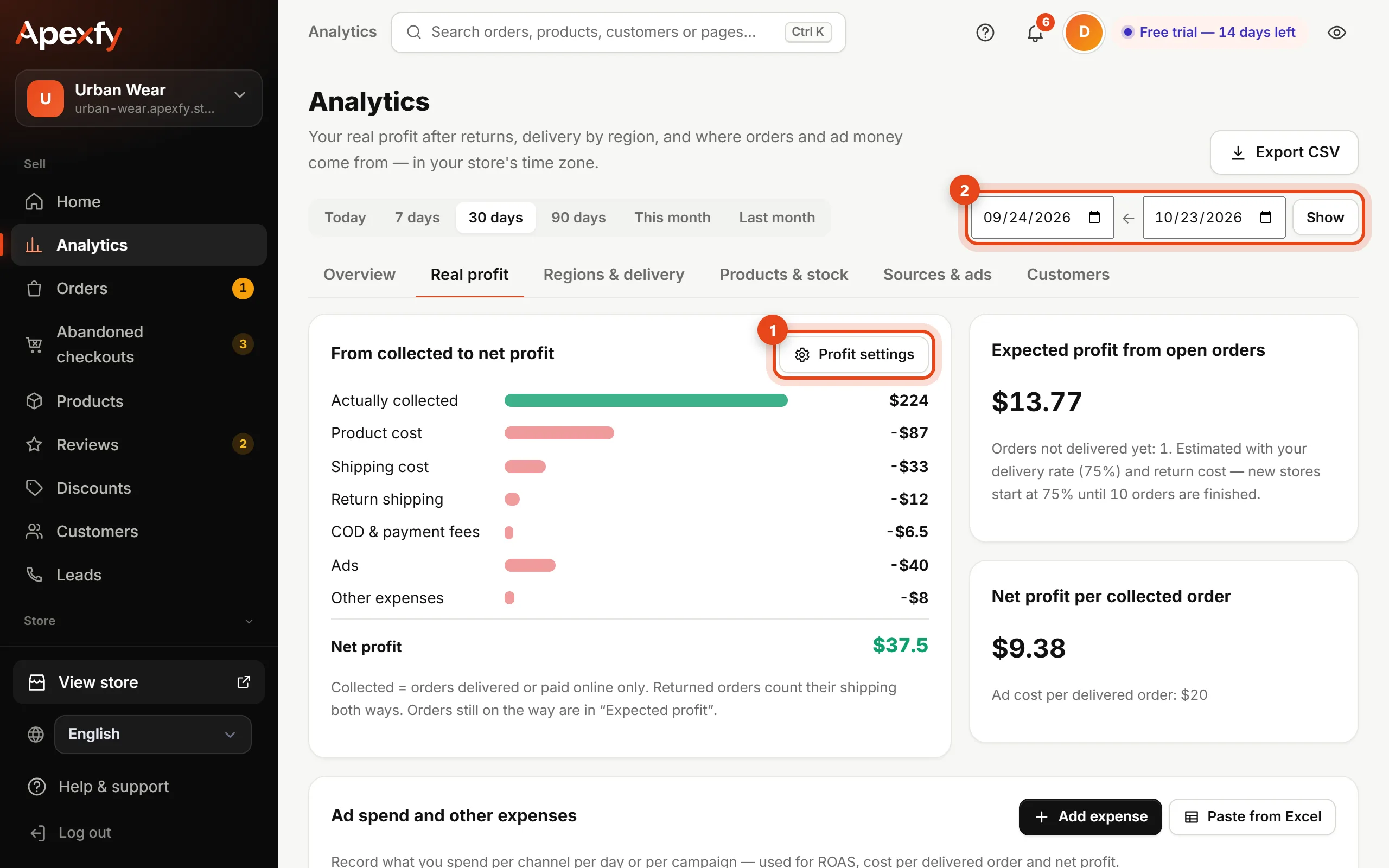
How it's calculated
| Line | Where it comes from |
|---|---|
| Actually collected | Delivered orders or orders paid online only |
| − Product cost | The cost per item on each product |
| − Shipping cost | The cost recorded on the shipment, your profit settings, or the shipping fee you charged |
| − Return shipping | For each returned order, both ways |
| − COD & payment fees | The percentages you enter in settings |
| − Ads and other expenses | What you record in ad spend |
| = Net profit |
Orders not delivered yet don't count in net profit. They show under Expected profit from open orders, estimated with your store's delivery rate (75% until you have 10 finished orders).
Steps
- Enter the cost per item for each product (on the product page or in the bulk editor).
- Click Profit settings and enter your real shipping cost, return shipping cost, and your cash-on-delivery and card fee percentages. You can set a different shipping cost per region.
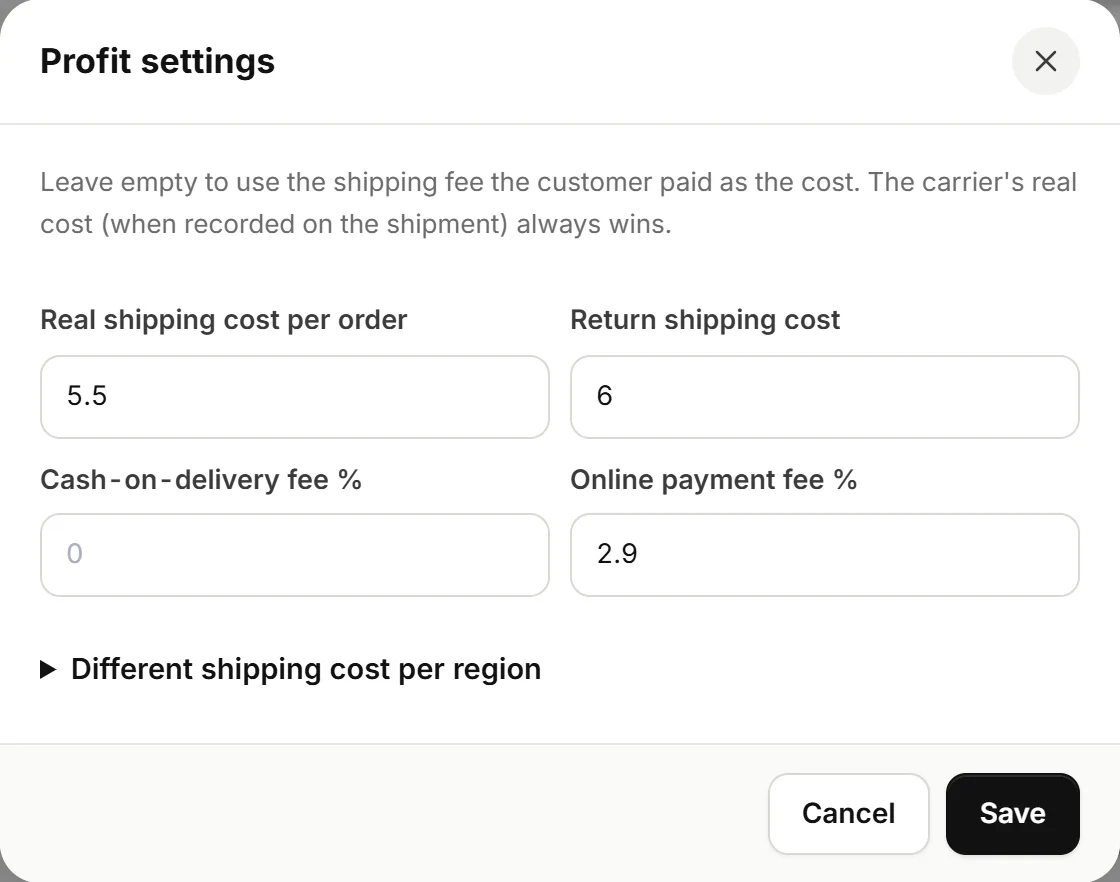
Profit settings - Record your ad spend on the same page.
A product with no cost counts as zero cost, so your profit looks higher than it is. Enter the cost for every product.
Cost and profit numbers are only visible to the store owner and staff with the Finance permission in Team. Export CSV at the top downloads the numbers as a spreadsheet.