
Delivery rate by region
Find the regions where customers refuse delivery and you lose money — and what to do to cut returns.
Open this page in your dashboardOpen Analytics → Regions & delivery. For each region you'll see orders, delivered, returned and still on the way, the delivery rate, collected, average shipping and profit.
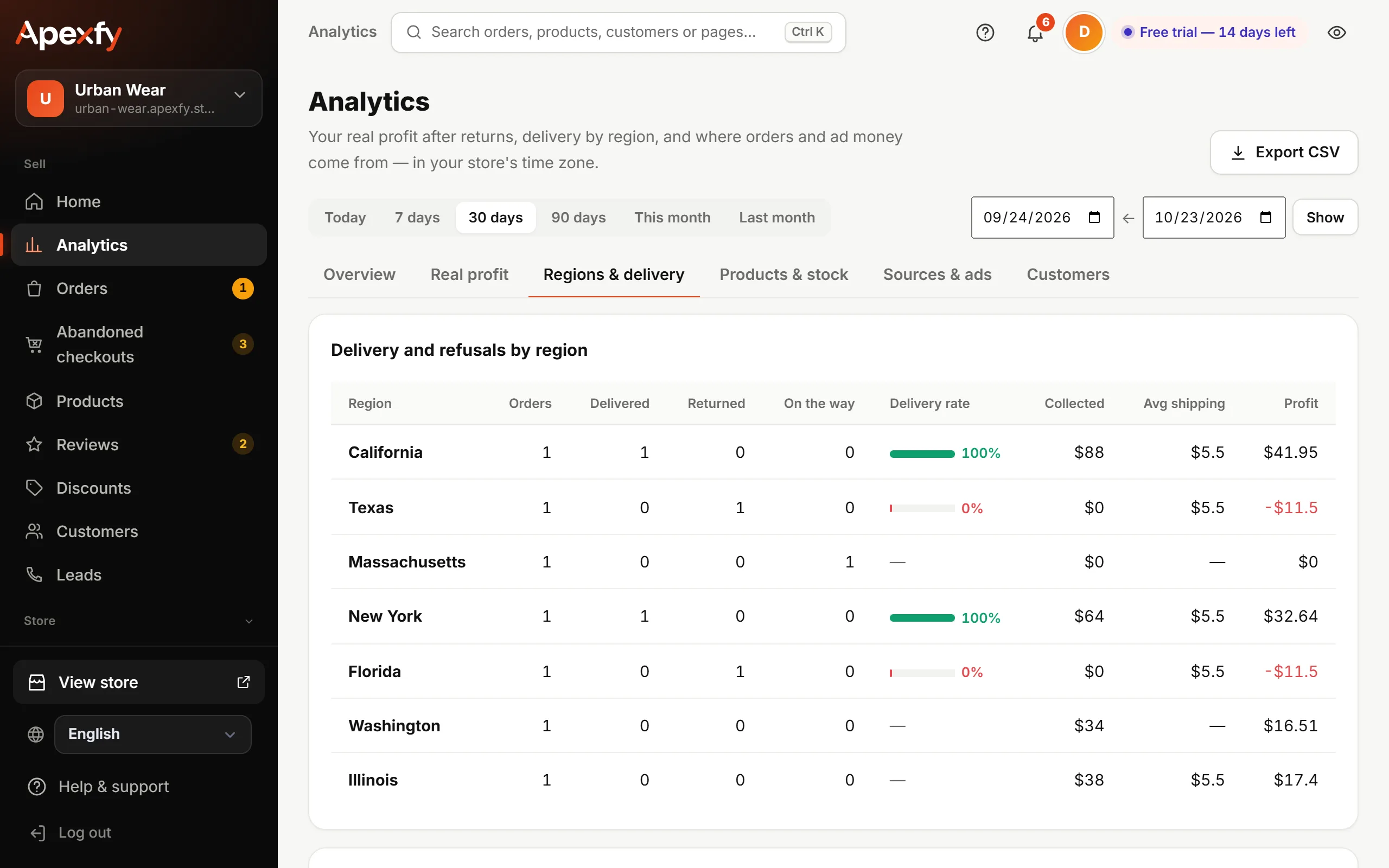
Delivery rate = delivered ÷ (delivered + returned). Orders still on the way don't count.
A region with a low rate?
When a region's delivery rate is under 60% (with at least 5 finished orders there) we flag it with ideas:
- Confirm by phone every order from that region before shipping. Confirming orders
- Ask for a deposit before shipping.
- Raise its shipping rate on the Shipping page, or stop delivering there.
Look at the Profit column, not just the order count: a region with lots of orders may be losing you money because of returns.
The same idea works per product in Products & stock, and per customer in Customers (the “customers who refuse delivery” list). Customers