
Notifications and the new-order sound
One bell for everything that needs your attention, plus a sound and a browser notification for every new order — even when you're in another tab.
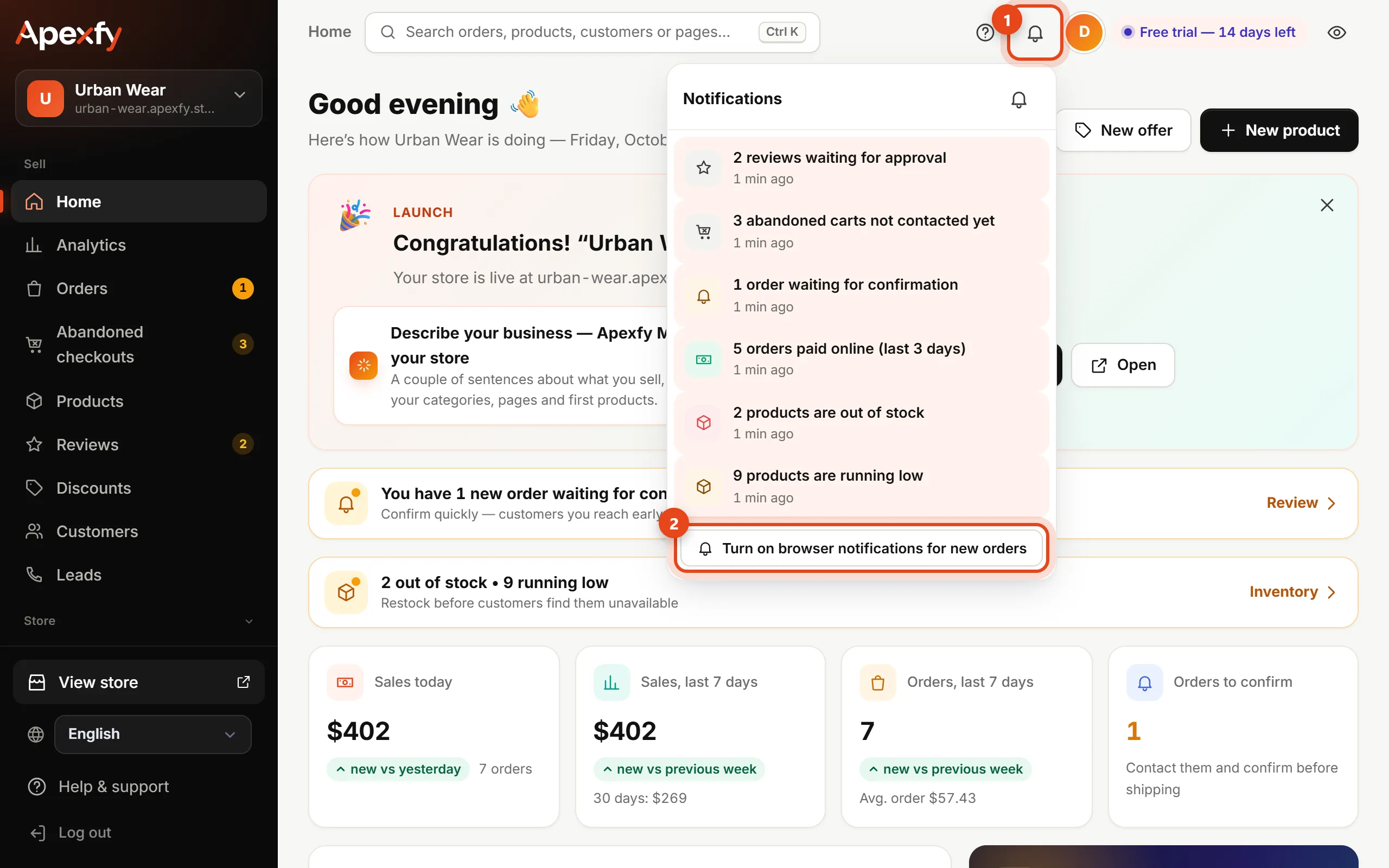
Click the bell at the top of the dashboard.
What shows up
- Orders waiting for confirmation, and orders waiting for more than 24 hours.
- Orders paid online.
- Abandoned carts you haven't contacted, and reviews waiting for approval.
- Products out of stock or running low.
- A domain that went live or couldn't be activated, staff who joined your team, and your free trial ending soon.
Click any notification to jump straight to the right page. Ones that are new since you last opened the bell are highlighted, and a dot on the bell tells you they're there.
A sound and notification for every new order
- Click Turn on browser notifications for new orders and allow it in your browser.
- When an order comes in while the dashboard is open, you hear a sound, get a browser notification, and see the number of new orders in the tab title.
- To mute the sound, click the small bell icon inside the notifications list.
Notifications refresh about every minute while the dashboard is open.