
Ads: which channel really pays?
Record what you spend on Facebook, TikTok and Google to see your real ROAS and cost per delivered order after returns — not the ad platform's numbers.
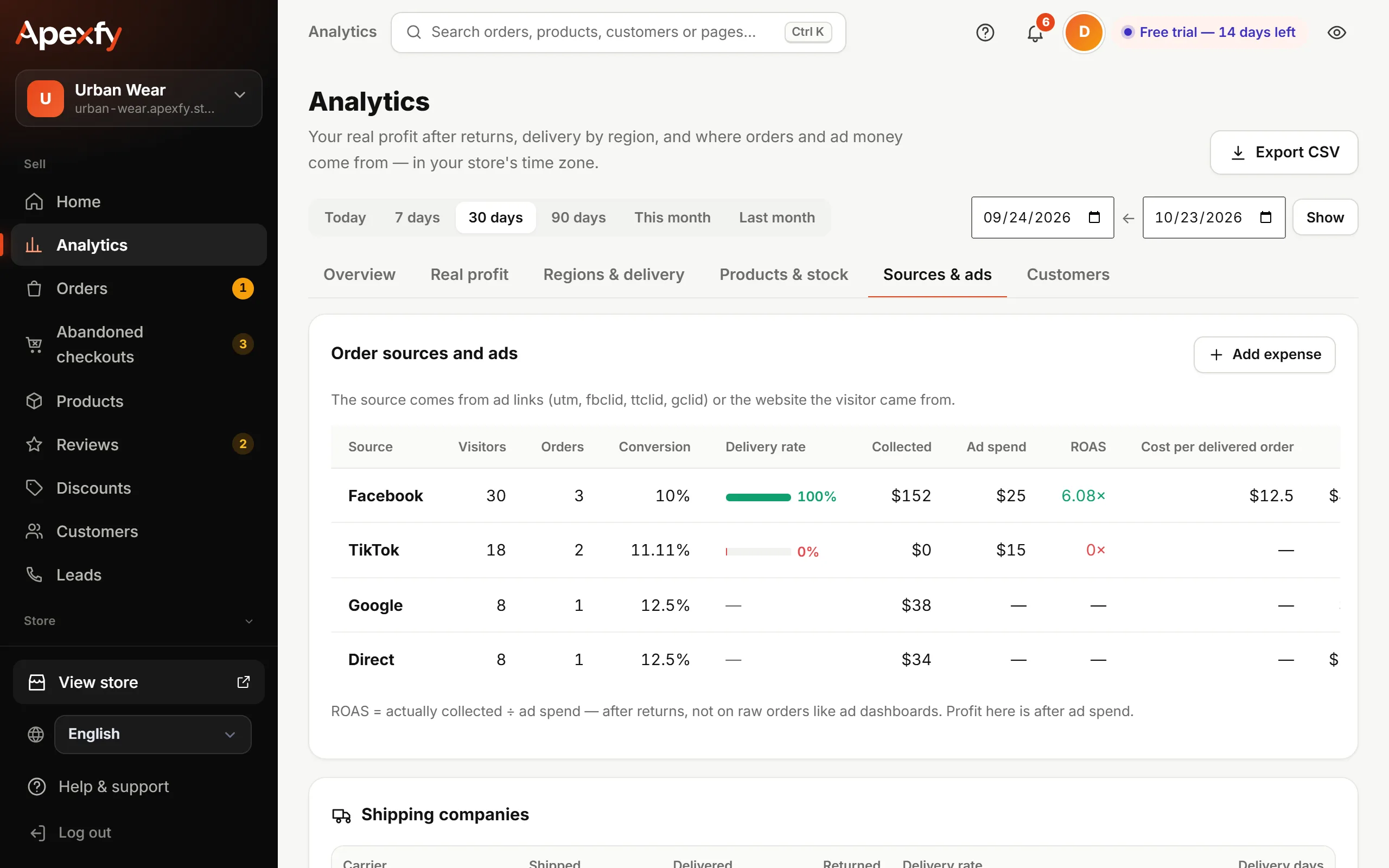
Open this page in your dashboardOpen Analytics → Sources & ads. For each source you'll see visitors, orders, conversion, delivery rate, collected, ad spend, ROAS and cost per delivered order.
How we know where an order came from
From ad links (utm_source, fbclid, ttclid, gclid) or the website the visitor came from. Add ?utm_source=facebook, for example, to your ad links so the source is exact. Connect your pixel
Recording ad spend
- On Real profit or Sources & ads, click Add expense: choose an ad, the channel, amount and day — or another expense (packaging, salaries…).
- Or click Paste from Excel and paste the columns as they are: date, channel or expense type, amount, and an optional description. One line per expense.
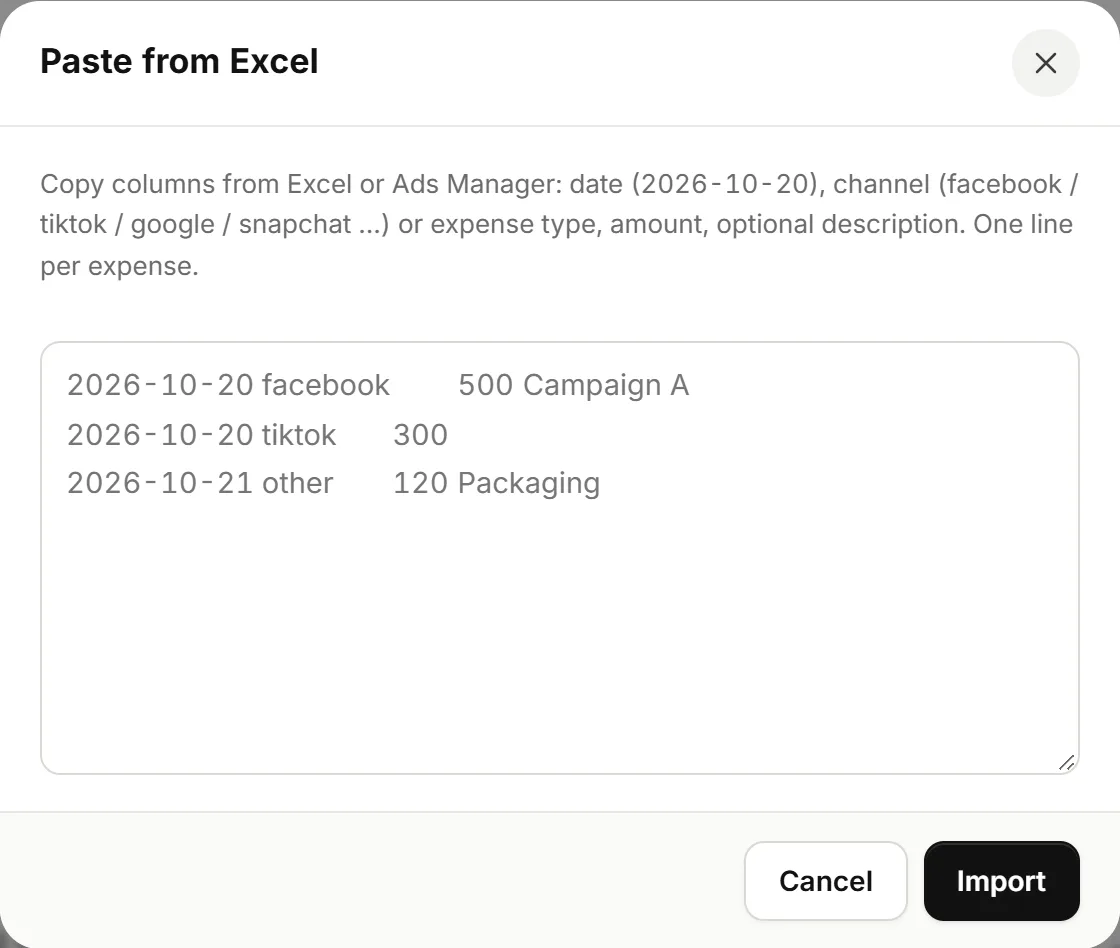
Pasting expenses from Excel - Click Import.
Reading the numbers
- ROAS = actually collected ÷ ad spend. It's after returns, not on raw orders like ad dashboards.
- Cost per delivered order: how much you paid in ads for each order you got paid for.
- A channel with ROAS under 1 is losing you money, even if it brings lots of orders.
Under the table you'll find Shipping companies: delivery rate and delivery days for each carrier, so you can compare them.