
Customers: profiles, tags and blocking
Every customer gets a profile with their orders, delivery rate and total spent, plus tags and notes for your team and blocking for numbers that refuse delivery.
Open this page in your dashboardEveryone who orders from your store is added to Customers automatically. The list shows them all; search by name or phone, filter by country and tag, and sort by number of orders or amount spent.
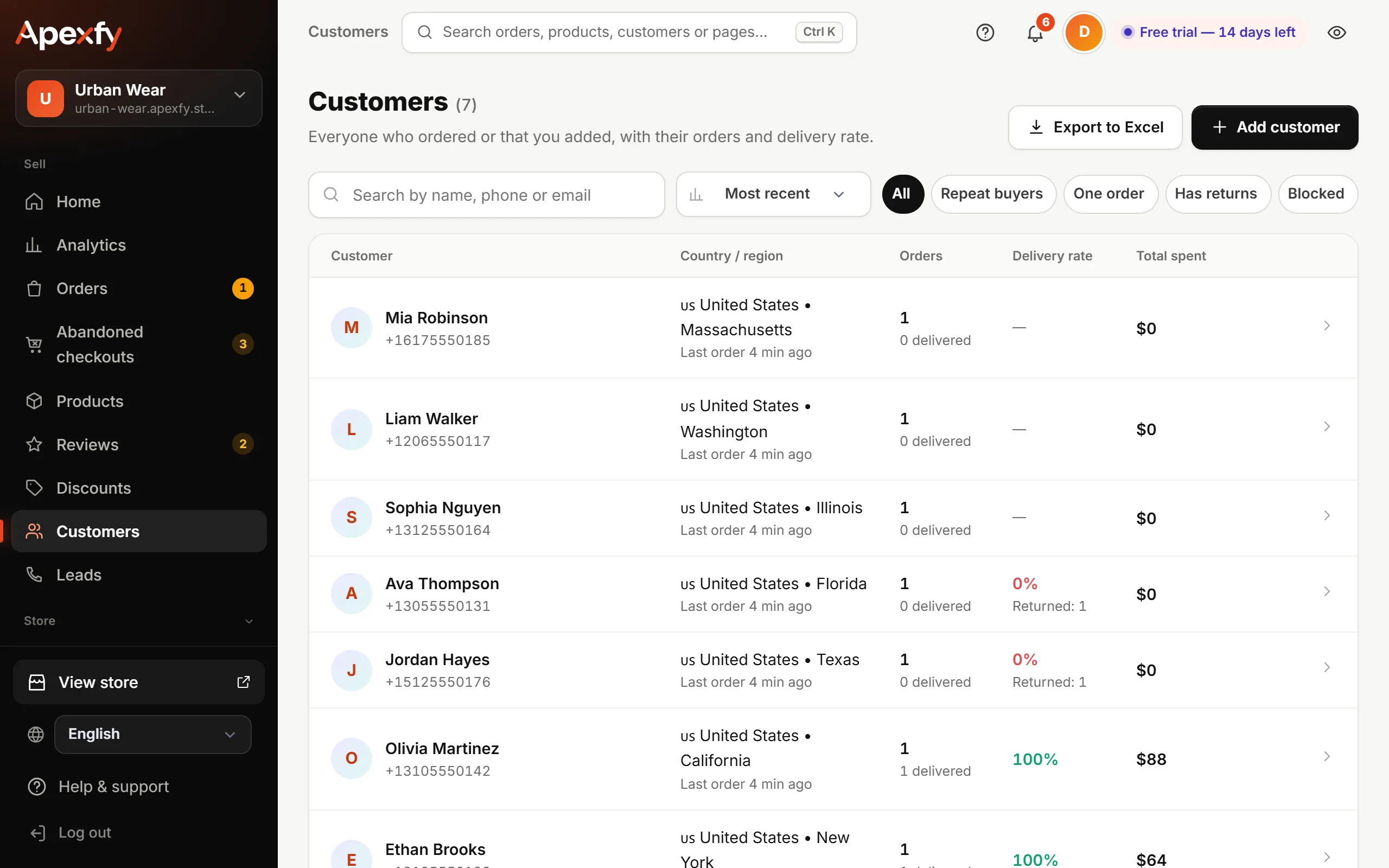
The customer profile
Open any customer to see:
- Total spent (delivered orders only), number of orders and delivery rate (delivered ÷ delivered + returned).
- All their orders and each order's status.
- Contact details and address, with a Call button and a Block number button.
- Tags (like VIP or Wholesale) to filter the list, and internal notes the customer never sees.
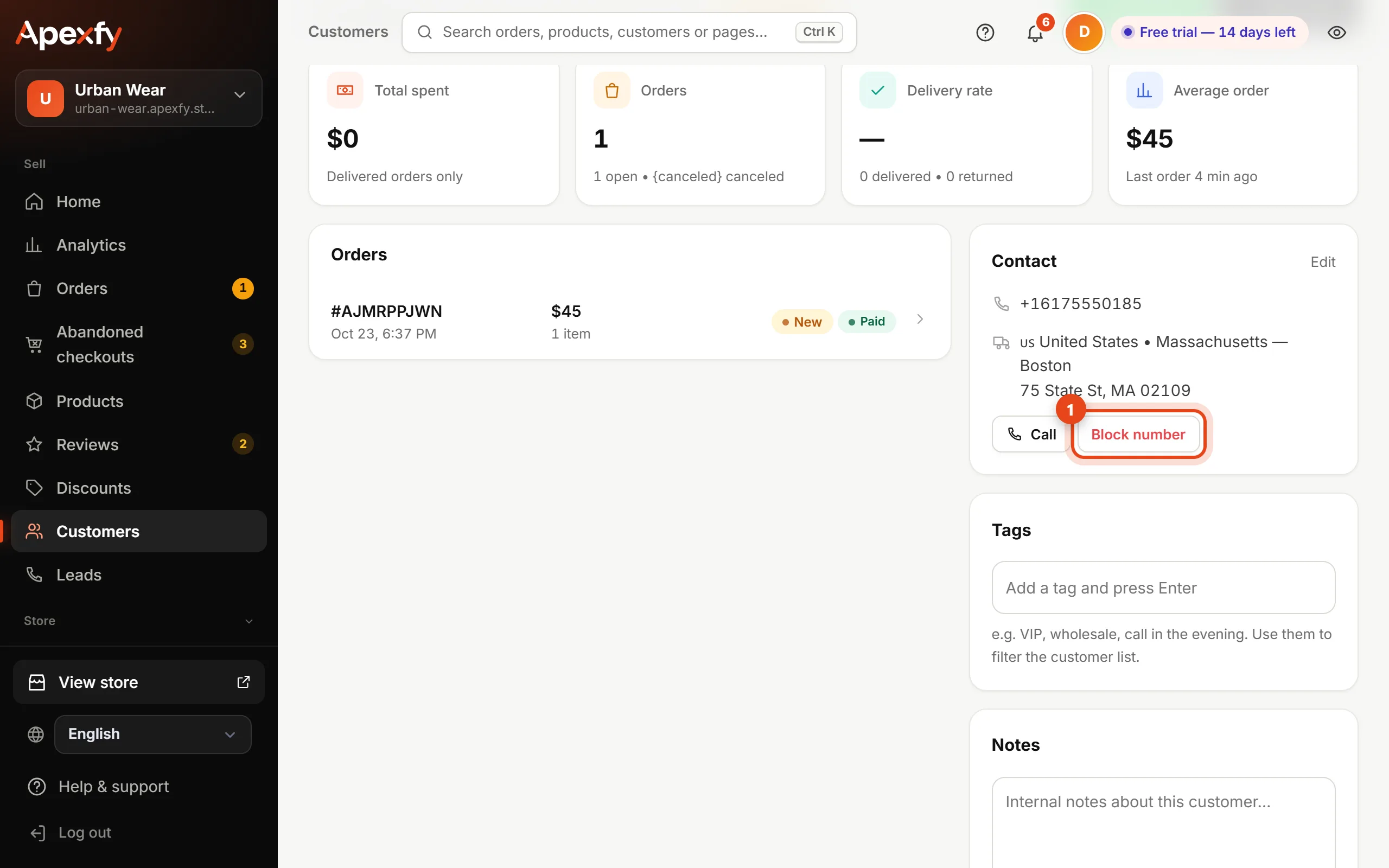
Blocking customers who refuse delivery
If a customer keeps refusing deliveries, click Block number. That number can't place a new order in your store. You can unblock it any time from the same page.
Analytics → Customers has a ready “Customers who refuse delivery” list: everyone whose returns are equal to or more than their delivered orders.
Adding and exporting
- Add customer by hand from the button at the top.
- Export the list as a CSV that opens in Excel (phone numbers keep their leading zero).
- Leads (in the menu) are people who left their number in the popup or “Order on WhatsApp” without ordering — follow up with a message.