
Returns and canceled orders
What happens when a customer refuses delivery or you cancel an order, how it counts in stock and profit, and how to reduce returns.
Recording a return
Open the shipped order and click Returned when the courier tells you the customer refused it.
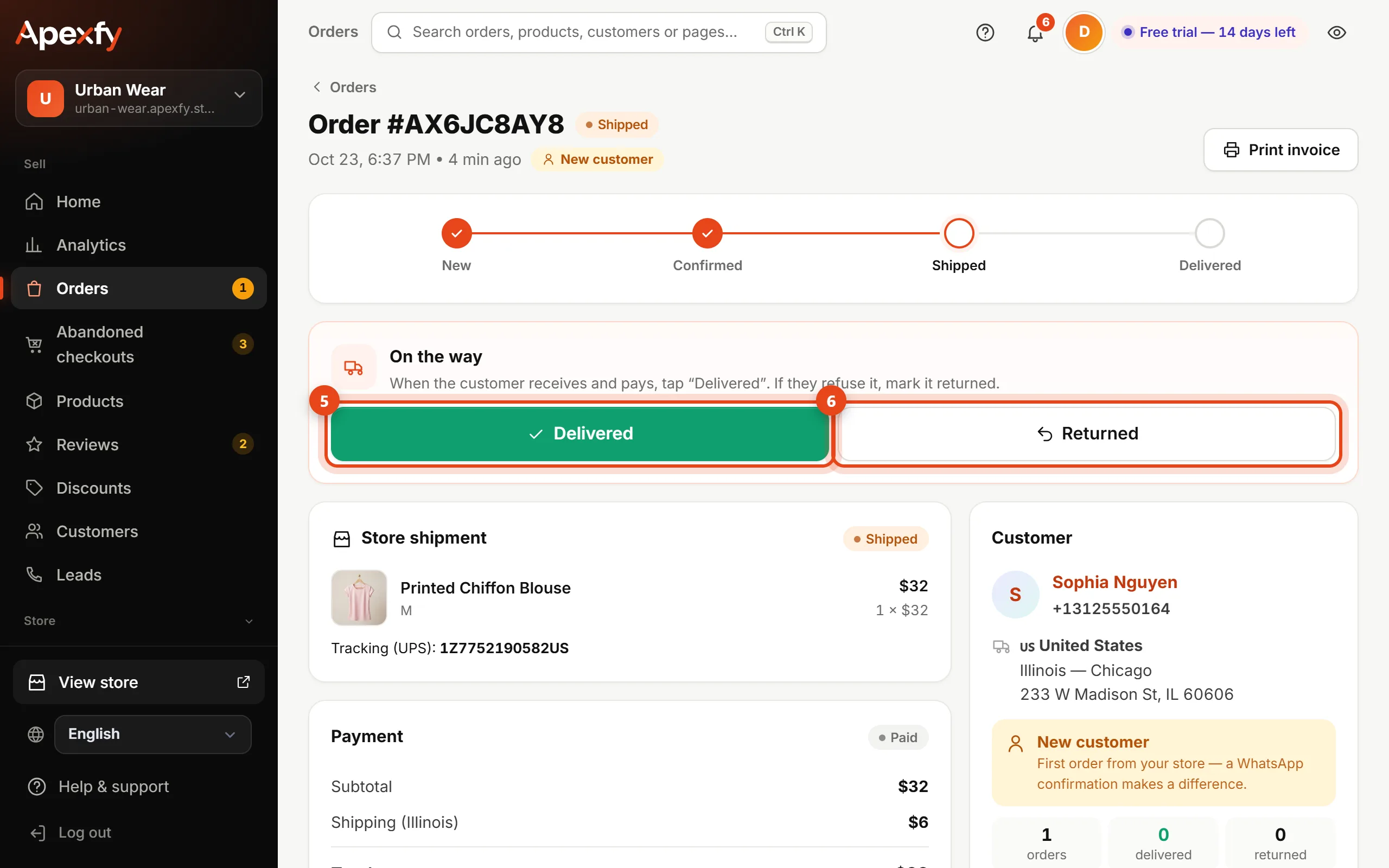
When you record a return:
- The quantity goes back to stock automatically.
- The order counts in Real profit as a loss of shipping both ways (from your profit settings).
- The delivery rate of the customer, region, product and carrier is updated in your analytics.
- A ↺ arrow shows next to the customer on their future orders.
Canceling an order
On the order, click Cancel order and pick a reason (no answer, customer canceled, wrong details, out of stock…). An order canceled before shipping costs you nothing and its stock is restored.
How to reduce returns
| Common cause | What to do |
|---|---|
| The customer wasn't serious | Confirm by phone or WhatsApp before shipping |
| A region with a low delivery rate | Always confirm by phone, ask for a deposit, or raise its shipping rate |
| Wrong size | Add a size chart to the product |
| The product looks different | Real photos and an accurate description |
| A number that keeps refusing | Block the number |