
Add a manual order (phone or WhatsApp)
Record orders that come by phone, WhatsApp or in person, with the same prices, stock, shipping and discounts as your store.
Open this page in your dashboardWhen a customer orders by phone or WhatsApp, don't write it on paper — add it in the dashboard. It counts in your stock, analytics and customers like any store order, and shows as “Manual orders” in your analytics sources.
Steps
- In Orders, click New order.
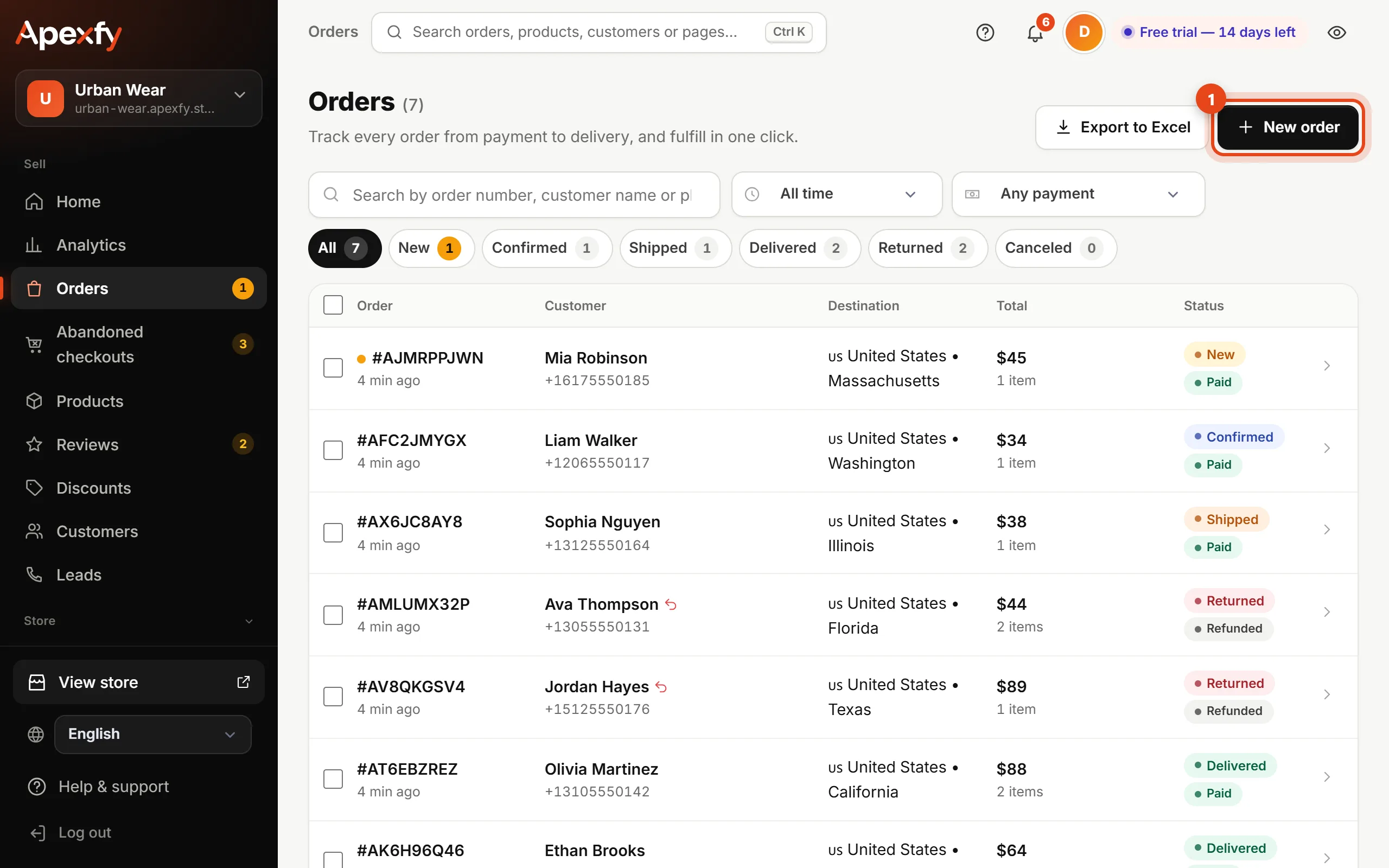
The “New order” button - Search for the product and pick it (and its size or color if any), then find the customer by name or phone — or type their details if they're new.
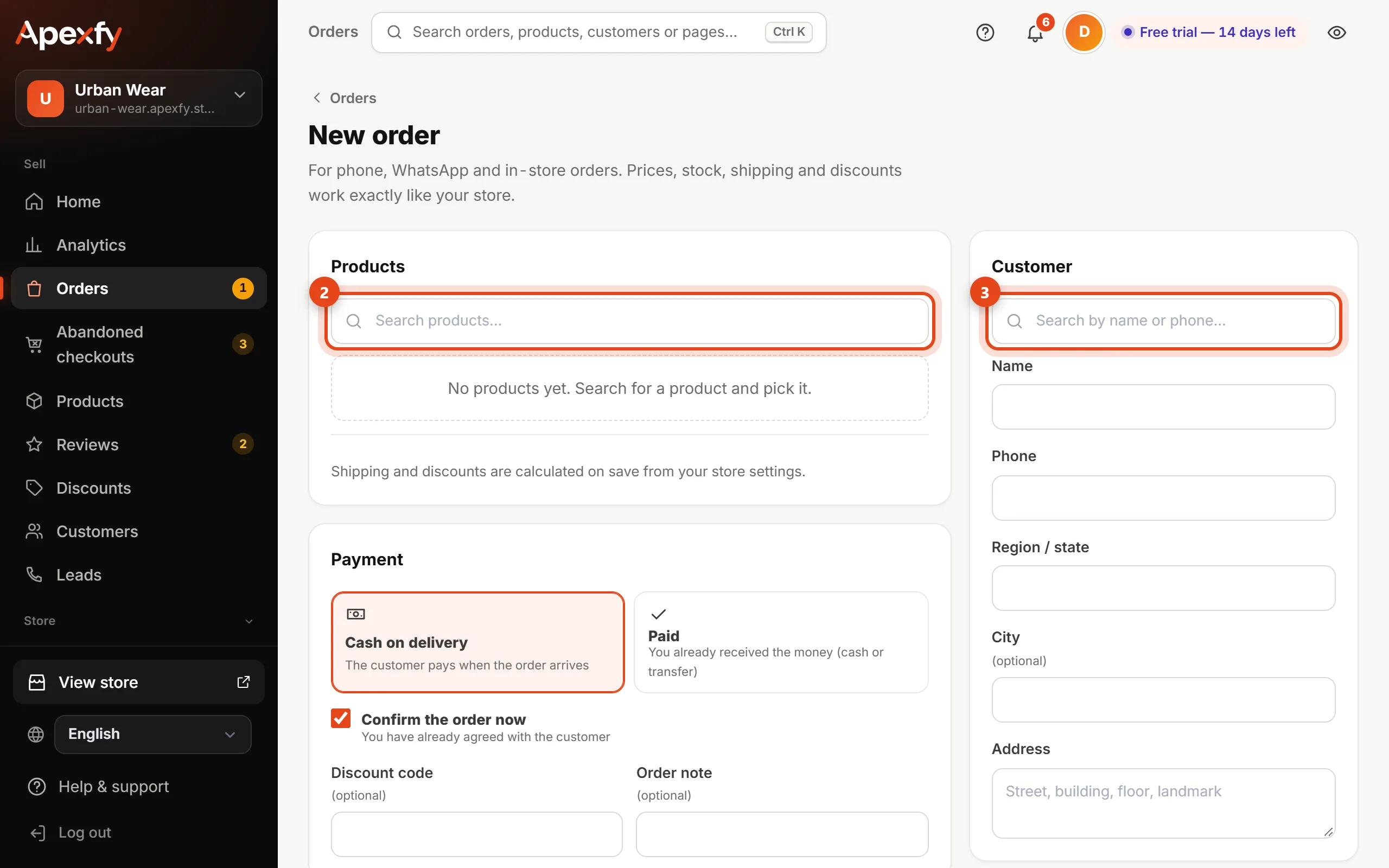
Finding the product and the customer - Choose the payment: Cash on delivery or Paid (if you already got the money in cash or by transfer). Keep Confirm the order now on if you've already agreed with the customer.
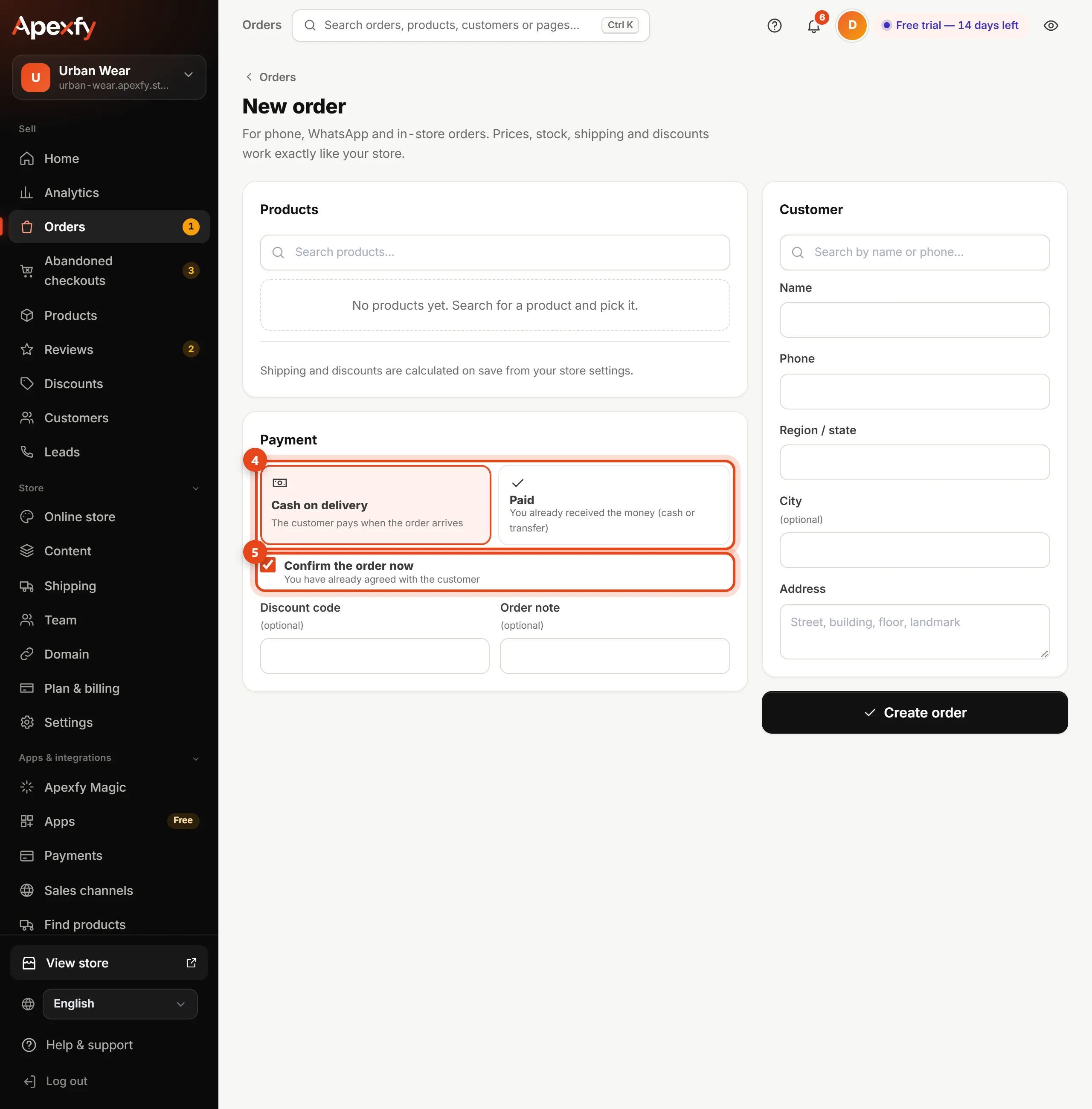
Payment and confirmation - Add a discount code or a note if you like, then click Save order.
Shipping and discounts are calculated on save from your store settings, exactly as if the customer had ordered from your store.