
Connect Meta Pixel and TikTok Pixel
Paste your pixel ID once and we track page views, add-to-cart, checkout and purchases automatically, so your Facebook, Instagram and TikTok ads optimize better.
Open this page in your dashboardSteps
- Open Settings and scroll to Ads & tracking.
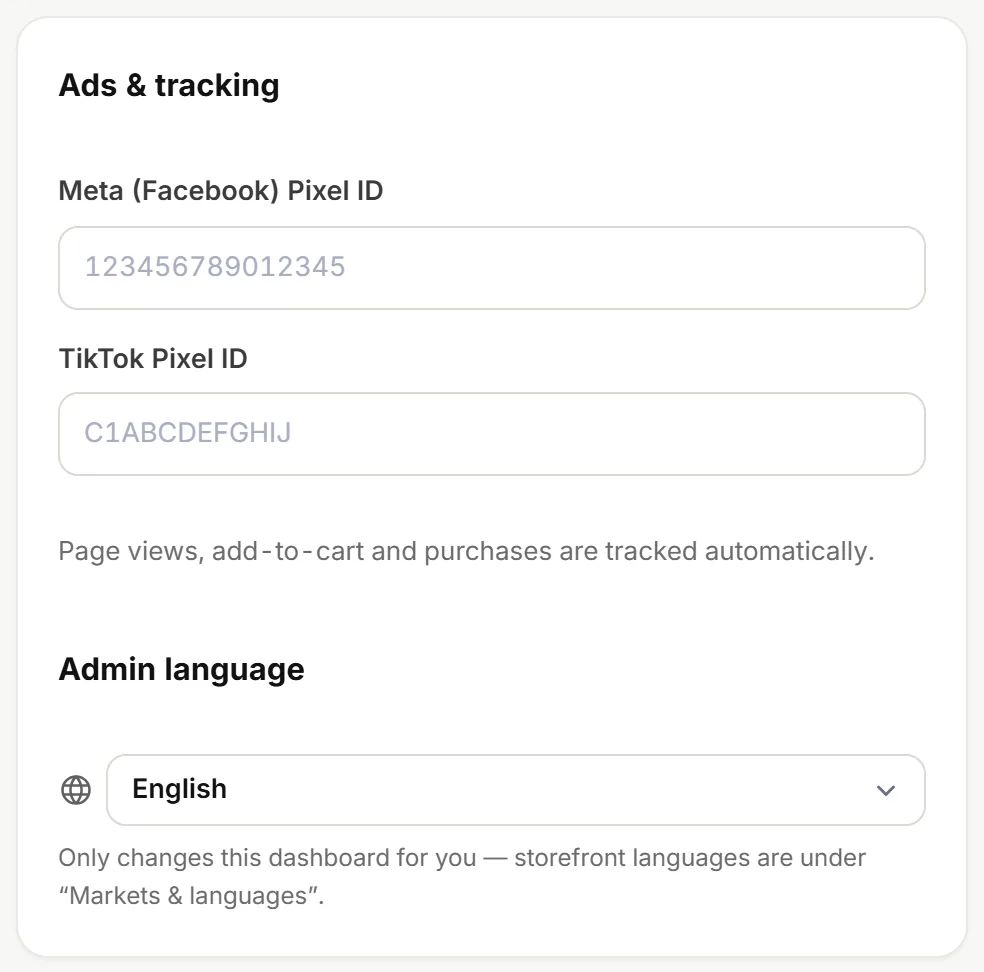
Ads & tracking - Paste your Meta (Facebook) Pixel ID (digits only — find it in Meta Events Manager).
- Paste your TikTok Pixel ID (capital letters and digits — find it in TikTok Ads Manager → Events).
- Click Save.
We track page views, add to cart, checkout started and purchases (with the order value) automatically. No code needed.
After saving, open your store and add a product to the cart, then check the event shows in Events Manager or the Pixel Helper extension.
See which ads really sell
Add utm_source to your ad links (like ?utm_source=facebook) and each order's source shows in Analytics. Add your ad spend and you'll see the real profit per channel.
The pixel helps the ad platform target better; Analytics shows your own numbers from real orders, returns included.