
Recover abandoned checkouts
Anyone who entered their number at checkout but didn't finish shows up here — win them back with a ready WhatsApp message listing their items and a coupon.
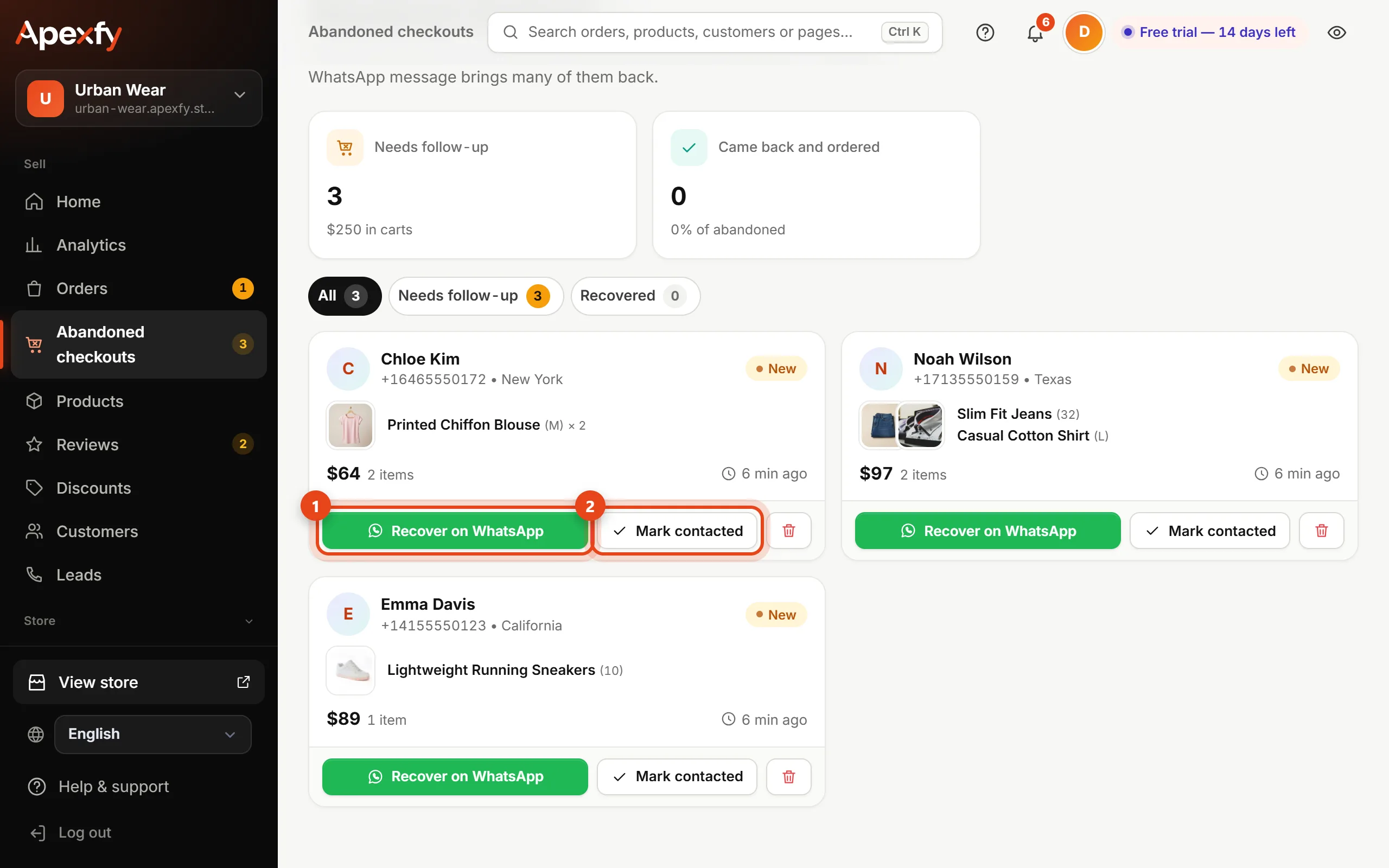
Open this page in your dashboardWhen a customer enters their phone number at checkout and leaves without ordering, they show up in Abandoned checkouts with their name, region, cart and its value.
Steps
- Open Abandoned checkouts. The Needs follow-up filter shows the ones you haven't contacted yet.
- Click Recover on WhatsApp.
- Pick a coupon if you like (optional — it raises the chance they finish). The message is ready with the customer's name, their items and your store link, and you can edit it.
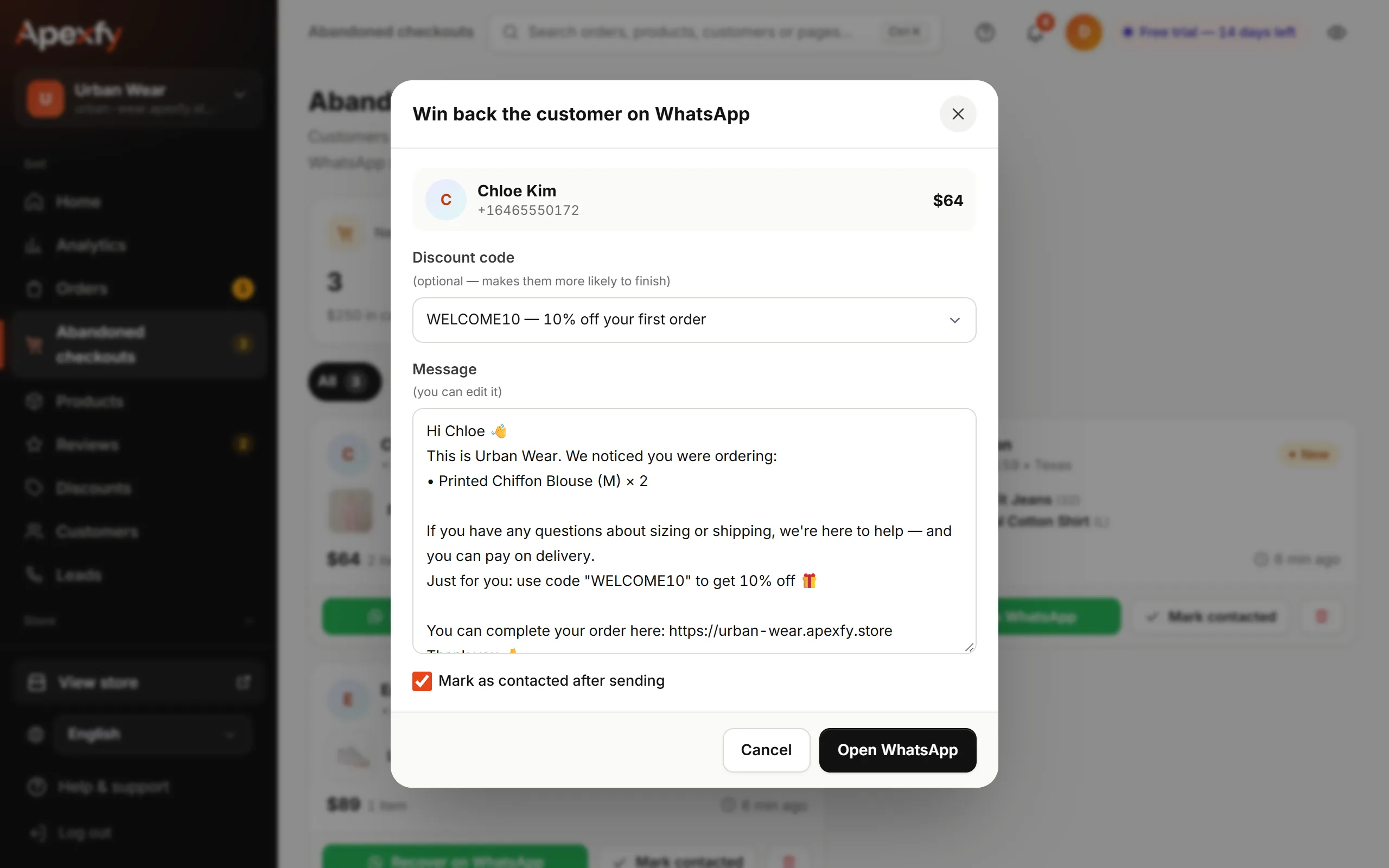
The recovery message - Click Open WhatsApp and send it. The customer is marked “Contacted” automatically.
How do I know they came back?
If the customer orders with the same number, they move to Recovered automatically, and the top of the page shows how many came back and ordered.
Send the message the same day. The sooner it goes out, the more likely they are to finish the order.
Nothing showing? Make sure the Abandoned checkouts app is on in Apps.